Understanding Information Technology
Introduction
Information Technology (IT) has become an essential part of how enterprises, organizations, and critical infrastructure sectors operate, communicate, manage information, and deliver services. Organizations across industries and sectors rely on IT to support their operations, manage business and operational processes, store and process information, connect people and systems, and deliver products and services.
The increasing adoption of digital technologies has strengthened the role of IT across organizational functions and critical operations. Activities such as financial transactions, communication, customer and citizen services, supply chain management, research, manufacturing, transportation, energy distribution, healthcare delivery, and public administration depend on IT systems and services.
Information Technology combines computing, data, software, storage, networking, and communication technologies to create an environment in which information can be collected, processed, stored, accessed, and exchanged. It includes the technical components, architectural designs, operational practices, and service management processes required to support enterprises, organizations, government institutions, and critical infrastructure operations.
What Is Information Technology (IT)?
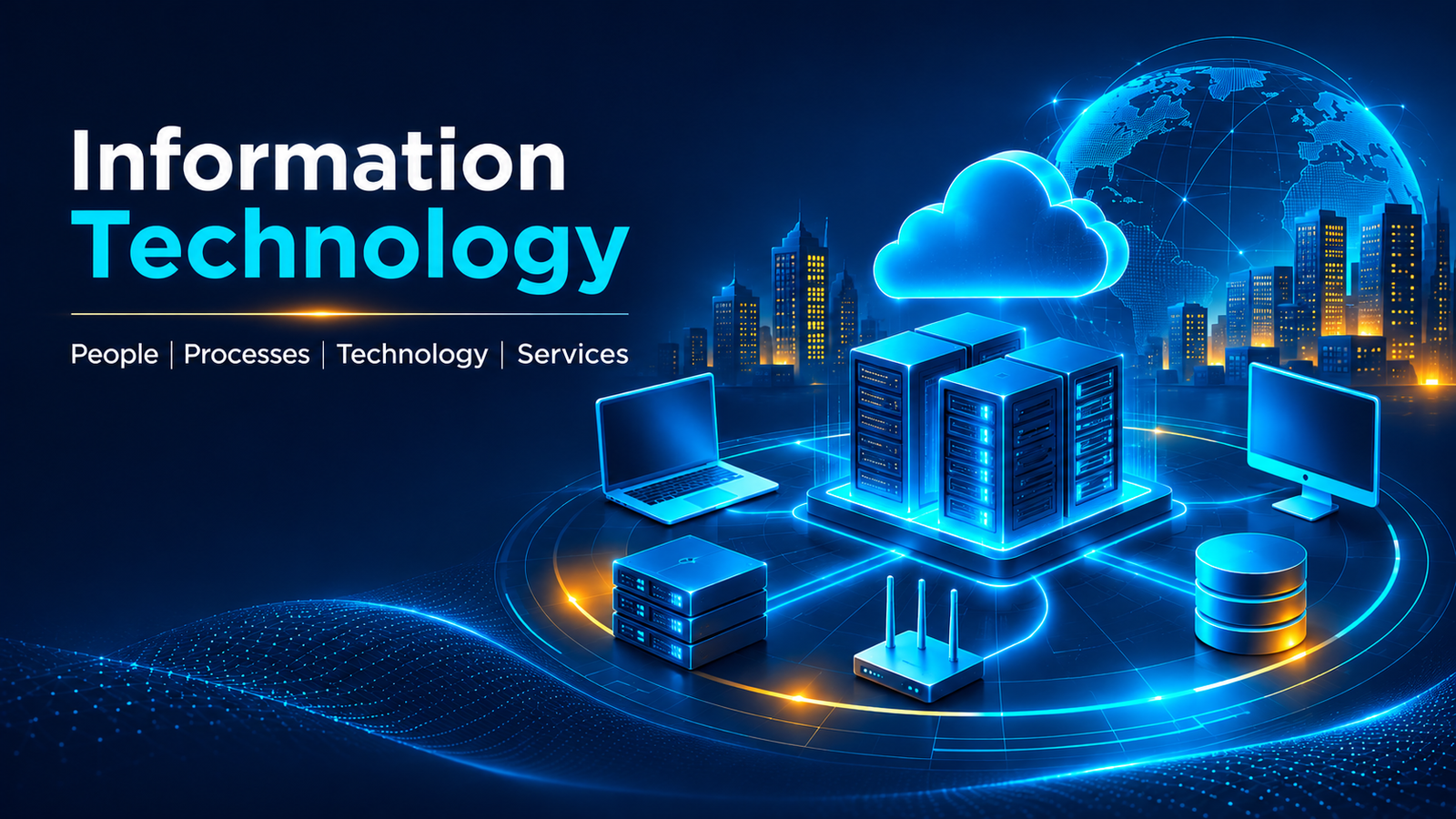
Information Technology refers to the use of computers, software, networks, storage systems, and related technologies to create, process, store, retrieve, transmit, and manage information.
IT provides the technological foundation for managing information and supporting business and organizational activities. It includes physical devices, computing platforms, applications, databases, communication networks, cloud services, and the operational functions required to maintain these systems.
Information Technology is not limited to computers or software applications. It represents an interconnected environment of technologies and services that work together to support information processing, communication, collaboration, and business operations.
Purpose and Role of Information Technology
The primary purpose of Information Technology is to enable efficient information processing and support organizational activities through technology.
Its major roles include:
- Information Processing: Collecting, processing, transforming, and analyzing data to produce meaningful information.
- Information Storage: Maintaining information in databases, storage systems, and other digital repositories.
- Communication: Enabling information exchange through networks, internet services, and communication platforms.
- Business Operations: Supporting operational activities such as finance, human resources, procurement, manufacturing, and customer services.
- Automation: Automating repetitive tasks and business processes to improve operational efficiency.
- Collaboration: Enabling individuals and teams to communicate, share information, and work together.
- Decision Support: Providing information systems and analytical capabilities that support planning and decision-making.
- Service Delivery: Enabling organizations to deliver digital products, applications, and services to customers and employees.
Evolution of Information Technology
Early Electronic Computing Era (1940s–1950s)
The development of Information Technology can be traced to the emergence of electronic computers and automated information processing. Early computers were large, expensive systems primarily used by governments, military organizations, scientific institutions, and research facilities. These machines used vacuum tubes and later transistor-based technologies to perform complex calculations and process large volumes of information. Data was typically entered through punched cards and paper tape, while magnetic drums and magnetic tape provided early storage capabilities. Programs were developed using machine language and assembly language to perform specific computational tasks. Computing was largely centralized, and computers generally operated independently without interconnected networks. Communication between distant locations continued to rely on established telecommunications technologies such as telegraph and telephone systems.
Mainframe and Centralized Computing Era (1950s–1960s)
The introduction of commercial mainframe computers established centralized computing as an important foundation for organizational IT. Large organizations began adopting mainframes to automate business operations, process financial transactions, maintain records, and support administrative functions. Systems such as IBM System/360, introduced in 1964, provided standardized computing platforms for business and scientific workloads. Organizations increasingly used magnetic disk storage alongside magnetic tape, enabling faster access to stored information. Early database management approaches also emerged to organize large volumes of organizational records. Users accessed centralized computing resources through terminals, while applications and data processing remained primarily hosted on mainframe systems. Communication technologies gradually enabled remote terminals and computing facilities to connect with centralized systems.
Time-Sharing, Minicomputing, and Early Networking Era (1960s–1970s)
As computing requirements expanded, time-sharing systems enabled multiple users to access the same computer simultaneously through connected terminals. Minicomputers provided more affordable computing capabilities for departments, laboratories, and smaller organizations, extending computing beyond large centralized mainframe environments. Database technologies also advanced, with hierarchical and network database models providing structured methods for organizing and managing information. The introduction of the relational database model by Edgar F. Codd in 1970 established an important foundation for subsequent database development. Computer networking progressed through research initiatives, including ARPANET, which connected research institutions using packet-switching technology. Ethernet was developed at Xerox PARC in 1973, introducing an important technology for local area networking. Together, these developments established the foundations for interconnected computing environments in which information and resources could be shared across systems.
Personal Computing and Local Area Networking Era (1970s–1980s)
The development of microprocessors and personal computers brought computing capabilities closer to individual users, departments, and organizations. Desktop computers and workstations became increasingly accessible, enabling users to perform document processing, calculations, data management, and business tasks independently. At the same time, Ethernet and other Local Area Network (LAN) technologies enabled computers within offices and organizational facilities to communicate and share resources such as files, printers, and storage. Relational database technologies advanced, and commercial database management systems began supporting business information requirements. Operating systems, graphical user interfaces, spreadsheets, word processors, and desktop applications expanded the practical use of computing. Hard disk drives and floppy disks became common storage technologies, while file servers enabled centralized file sharing across connected computers. These developments transformed IT from predominantly centralized computing environments into interconnected environments combining personal computers, shared servers, applications, databases, and local networks.
Client-Server and Enterprise Computing Era (1980s–1990s)
The client-server architecture became an important foundation for enterprise IT. Personal computers and workstations operated as clients, while centralized servers provided application processing, database access, file sharing, and other shared services through organizational networks. Relational Database Management Systems (RDBMS) and SQL became increasingly important for managing structured business information and supporting enterprise transactions. Ethernet-based LANs and Wide Area Networks (WANs) connected users, servers, and geographically distributed offices, while the adoption of TCP/IP enabled communication across different network environments. Enterprise applications developed to support business functions such as finance, accounting, manufacturing, human resources, and inventory management. Multi-tier application architectures increasingly separated user interfaces, business logic, and database operations. Organizations also adopted centralized storage systems to support growing application and database workloads. This period established interconnected enterprise IT environments in which computing, networking, databases, applications, and storage operated as integrated systems.
Internet and Web-Based Computing Era (1990s–2000s)
The commercial expansion of the Internet and the World Wide Web transformed how individuals and organizations accessed information, communicated, and delivered services. Internet connectivity expanded through telecommunications infrastructure, broadband networks, routers, and other networking technologies. Web browsers, web servers, application servers, and databases enabled organizations to develop websites, online portals, electronic commerce platforms, and web-based business applications. Applications increasingly operated through multi-tier architectures, allowing users to access services through web browsers without requiring all application components to be installed locally. Relational databases continued to support enterprise transactions, while data warehousing and business intelligence technologies helped organizations consolidate and analyze information from multiple business systems. Storage infrastructure evolved to support growing volumes of business records, email, web content, and multimedia information. The Internet connected organizational IT environments with customers, suppliers, employees, and external institutions, expanding information technology beyond internal enterprise networks.
Distributed, Virtualized, and Data Center Computing Era (2000s–2010s)
The growth of enterprise applications, Internet services, and digital information increased the demand for scalable computing and infrastructure. Organizations adopted distributed computing architectures in which applications and processing workloads operated across multiple interconnected servers and data centers. Server virtualization enabled multiple virtual machines to run on shared physical hardware, improving resource utilization and infrastructure flexibility. High-speed Ethernet, fiber-optic networking, advanced routing, and storage technologies such as Storage Area Networks (SAN) and Network Attached Storage (NAS) supported increasingly complex data center environments. Relational and distributed databases continued to evolve, while NoSQL technologies emerged to support large-scale web applications and different types of information. Big data platforms and distributed processing frameworks enabled organizations to process larger volumes of structured and unstructured data. Service-oriented architectures (SOA), web services, and Application Programming Interfaces (APIs) improved integration between enterprise applications. These developments established the technical foundations for large-scale virtualization, distributed platforms, and cloud computing.
Cloud, Mobile, and Connected Computing Era (2010s–2020s)
Cloud computing changed how organizations acquired, deployed, and managed IT resources. Computing, storage, networking, platforms, and software services became available through remotely managed cloud infrastructure. Organizations adopted Infrastructure as a Service (IaaS), Platform as a Service (PaaS), and Software as a Service (SaaS), while hybrid and multi-cloud environments allowed workloads to operate across on-premises infrastructure and cloud platforms. At the same time, smartphones, tablets, wireless networks, and mobile applications expanded access to digital services beyond traditional desktop environments. Containerization, microservices, APIs, and cloud-native architectures supported the development and deployment of distributed applications. Cloud databases, distributed storage, data lakes, and big data platforms enabled organizations to manage and analyze increasing volumes of information. The growth of the Internet of Things (IoT) connected physical devices, sensors, machines, and industrial systems, while edge computing enabled data processing closer to where information was generated. IT environments increasingly combined enterprise data centers, cloud platforms, mobile devices, connected systems, and distributed services.
AI-Integrated and Emerging Computing Era (2020s onward)
Artificial intelligence, generative AI, advanced computing platforms, and emerging technologies are introducing new capabilities across IT environments. Machine learning and AI models are increasingly integrated into enterprise applications, analytics platforms, software development tools, customer services, and operational systems. The growth of generative AI has increased demand for specialized computing resources, including Graphics Processing Units (GPUs) and other processing accelerators, alongside scalable cloud infrastructure. Vector databases, distributed data platforms, and advanced information retrieval technologies support AI applications that process and generate information from large datasets. High-performance storage and high-speed networking support the movement and processing of data required for AI training and inference. Connected devices and edge computing also support the deployment of intelligent capabilities closer to operational environments. In parallel, quantum computing is emerging as a distinct computational paradigm based on quantum-mechanical principles, with potential applications in specialized scientific and computational problems. These developments build upon the existing foundations of computing, networking, databases, applications, data processing, and storage, further expanding the capabilities of Information Technology.
The evolution of Information Technology reflects the gradual integration of computing, data management, storage, networking, and software applications. What began as centralized electronic data processing developed into interconnected, distributed, and intelligent technology environments supporting enterprises, government institutions, and critical infrastructure sectors.
Elements of Information Technology
Information Technology is built on several fundamental elements that work together to manage information. These elements form the foundation of computing and information processing.
Computing
Computing refers to the use of computational resources to execute instructions, perform calculations, process data, and run software applications.
Computing systems include desktop computers, laptops, servers, mainframes, mobile devices, and cloud-based computing platforms.
The central processing unit (CPU), memory, and other processing components work together to execute instructions and perform computational tasks.
Data
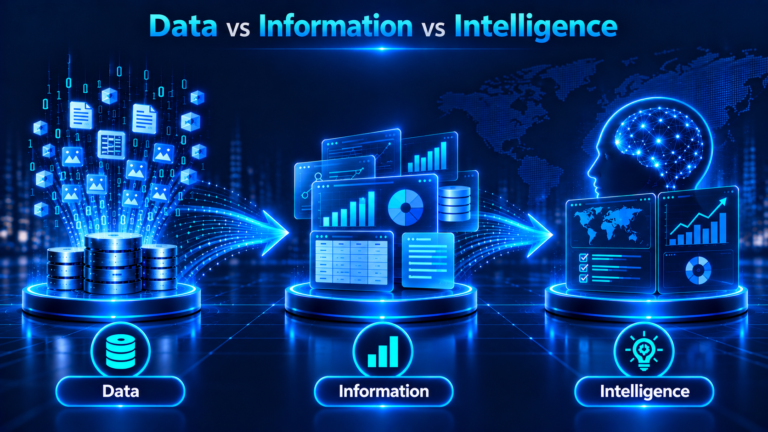
Data consists of raw facts, observations, measurements, or records that can be collected and processed by information systems.
Data may exist in different forms, including:
- Structured data
- Semi-structured data
- Unstructured data
Examples include customer records, financial transactions, sensor readings, documents, images, and application logs.
Data serves as the fundamental input for information processing and decision-making systems.
Data Processing
Data processing refers to the collection, manipulation, transformation, and organization of data to produce meaningful outputs.
Processing activities may include:
- Data collection and input
- Data validation
- Data classification
- Data transformation
- Data calculation
- Data aggregation
- Data analysis
- Output generation
Data processing can take place through batch processing, real-time processing, online transaction processing, and distributed processing.
Data Storage
Data storage refers to the technologies and systems used to retain digital information for temporary or long-term use.
Storage technologies include:
- Hard Disk Drives (HDDs)
- Solid State Drives (SSDs)
- Direct-Attached Storage (DAS)
- Network-Attached Storage (NAS)
- Storage Area Networks (SAN)
- Cloud Storage
Storage systems provide the capacity to preserve information and make it available to applications, systems, and users.
Communication
Communication refers to the exchange of information between computing devices, systems, applications, and users.
It relies on communication technologies and networking protocols that enable data transmission across local networks, wide-area networks, wireless networks, and the internet.
Communication technologies include Ethernet, Wi-Fi, cellular networks, fiber-optic communication, and internet protocols.
IT Architecture
IT Architecture describes the structural design and organization of an organization’s technology environment. It defines how applications, infrastructure, data, storage, cloud platforms, and integration components are organized and connected to support business and technical requirements.
IT Architecture provides a structured approach to designing technology environments. It establishes how individual technology components interact, exchange information, use shared resources, and support organizational services.
The major architectural areas include application architecture, infrastructure architecture, data architecture, storage architecture, cloud architecture, and integration architecture.
Application Architecture
Application Architecture describes the structure, components, interactions, and deployment of software applications. It defines how applications are designed, developed, integrated, and operated to support specific business functions.
Application architecture establishes the relationship between application components, user interfaces, business logic, data access, and external systems.
Application Components
Applications are built from multiple components that perform specific functions.
Common application components include:
- User Interface (UI)
- Business Logic
- Application Services
- Data Access Components
- Application Programming Interfaces (APIs)
- Integration Components
These components work together to provide application functionality.
Application Layers
Application architecture often uses a layered design to separate different responsibilities.
Common application layers include:
- Presentation Layer: Provides the interface through which users interact with an application.
- Application Layer: Coordinates application functions and business workflows.
- Business Logic Layer: Implements business rules and processing logic.
- Data Access Layer: Manages communication between applications and data repositories.
- Database Layer: Stores and manages application data.
Layered architecture supports modularity, maintainability, and separation of responsibilities.
Application Integration
Application integration enables different applications and software systems to exchange information and coordinate business processes.
Integration may be implemented through APIs, middleware, messaging systems, and integration platforms.
For example, an enterprise resource planning application may exchange information with customer relationship management, financial, and supply chain applications.
Application Deployment Models
Application deployment models describe how software applications are installed, hosted, and made available to users.
Common models include:
- On-Premises Applications
- Cloud-Hosted Applications
- Software as a Service (SaaS)
- Hybrid Application Deployment
- Distributed Application Deployment
The selection of a deployment model depends on business requirements, technical architecture, scalability, operational needs, and cost considerations.
Application Architecture Patterns
Application architecture patterns provide reusable approaches for organizing application components and their interactions.
Common patterns include:
- Monolithic Architecture
- Layered Architecture
- Microservices Architecture
- Service-Oriented Architecture (SOA)
- Event-Driven Architecture
- Model-View-Controller (MVC)
Each pattern has different characteristics relating to application structure, component dependencies, deployment, and scalability.
Infrastructure Architecture
Infrastructure Architecture describes the design and organization of the underlying technology resources required to operate applications, systems, and IT services.
It includes computing devices, servers, networks, storage systems, virtualization platforms, data centers, cloud infrastructure, and supporting technology platforms.
Endpoint Infrastructure
Endpoint infrastructure consists of computing devices used by individuals to access applications, information, and organizational services.
Examples include:
- Desktop Computers
- Laptop Computers
- Workstations
- Smartphones
- Tablets
- Thin Clients
- Internet of Things (IoT) Devices
Endpoint devices provide the user-facing computing capabilities required for everyday activities.
Server and Computing Infrastructure
Server and computing infrastructure provides centralized or distributed processing resources for applications, databases, and organizational workloads.
Common components include:
- Physical Servers
- Rack Servers
- Blade Servers
- Mainframe Systems
- High-Performance Computing Systems
- Compute Clusters
Servers provide processing, memory, and computing resources to support applications and services.
Network and Communication Infrastructure
Network and communication infrastructure enables connectivity and data exchange between computing devices, applications, and systems.
Major components include:
- Routers
- Switches
- Firewalls
- Wireless Access Points
- Network Interface Cards
- Load Balancers
- Network Gateways
- Fiber-Optic and Copper Cabling
- Communication Links
Network infrastructure supports local connectivity, enterprise communication, internet access, and connectivity between distributed environments.
Storage Infrastructure
Storage infrastructure consists of the hardware, software, and connectivity components used to store and retrieve digital information.
Major components include:
- Hard Disk Drives (HDDs)
- Solid State Drives (SSDs)
- Storage Arrays
- Direct-Attached Storage (DAS)
- Network-Attached Storage (NAS)
- Storage Area Networks (SAN)
- Storage Controllers
- Storage Networking Components
Storage infrastructure provides the underlying capacity and connectivity required by applications, databases, and computing platforms.
Virtualization Infrastructure
Virtualization infrastructure enables physical computing resources to be abstracted into virtual resources.
Major components include:
- Hypervisors
- Virtual Machines (VMs)
- Virtual Networking
- Virtual Storage
- Virtualization Management Platforms
- Container Platforms
Virtualization allows multiple workloads to operate on shared physical infrastructure while maintaining logical separation between computing environments.
Data Center Infrastructure
Data center infrastructure consists of the physical facilities and supporting systems required to operate enterprise computing environments.
Major components include:
- Server Racks and Cabinets
- Power Distribution Systems
- Uninterruptible Power Supply (UPS)
- Backup Generators
- Cooling and Environmental Control Systems
- Physical Cabling
- Physical Access Systems
- Fire Detection and Suppression Systems
Data centers provide the physical environment required to host servers, networking equipment, storage systems, and other IT infrastructure.
Cloud Infrastructure
Cloud infrastructure provides computing, storage, networking, and other technology resources through cloud service environments.
Major components include:
- Cloud Compute Resources
- Cloud Storage
- Virtual Networks
- Cloud Databases
- Load Balancing Services
- Resource Management Platforms
- Cloud Monitoring Services
Cloud infrastructure can be provisioned and managed through cloud service providers or private cloud environments.
Platform Infrastructure
Platform infrastructure provides the foundational software and runtime environments required to develop, deploy, and operate applications.
Major components include:
- Operating Systems
- Middleware
- Runtime Environments
- Database Platforms
- Container Platforms
- Application Hosting Platforms
- Platform Management Tools
These platforms provide the software foundation between underlying infrastructure resources and the applications that use them.
Data Architecture
Data Architecture describes how data is structured, organized, integrated, stored, and managed across an organization.
It defines the data models, relationships, flows, and management approaches required to support applications, business processes, analytics, and reporting.
Data Models
Data models describe how data is logically and structurally organized.
Common data modeling approaches include:
- Conceptual Data Models
- Logical Data Models
- Physical Data Models
Data models help define entities, attributes, relationships, and constraints within information systems.
Data Structures
Data structures define how data is organized and represented for storage, processing, and retrieval.
Examples include:
- Arrays
- Lists
- Linked Lists
- Stacks
- Queues
- Trees
- Graphs
- Hash Tables
Data structures are fundamental to software development, database systems, and computational processing.
Data Flows
Data flows describe how information moves between systems, applications, databases, and users.
They identify data sources, processing activities, communication paths, and destinations.
Data flow design helps organizations understand how information is exchanged across interconnected systems.
Data Integration
Data integration combines information from different sources into a unified or consistent view.
Common integration approaches include:
- Extract, Transform, Load (ETL)
- Extract, Load, Transform (ELT)
- Data Replication
- Data Synchronization
- API-Based Integration
- Data Virtualization
Data integration supports reporting, analytics, operational processing, and information sharing.
Data Governance and Management
Data governance and management define the policies, processes, responsibilities, and practices used to manage organizational data.
Major areas include:
- Data Ownership
- Data Stewardship
- Data Quality
- Data Classification
- Metadata Management
- Master Data Management
- Data Lifecycle Management
- Data Retention
These practices help maintain the accuracy, consistency, availability, and appropriate use of organizational data.
Storage Architecture
Storage Architecture describes how storage technologies and systems are designed, structured, and integrated to meet data storage and retrieval requirements.
It considers storage capacity, performance, availability, scalability, access methods, and data retention.
Storage Types
Storage technologies can be classified according to their characteristics and usage.
Common storage types include:
- Block Storage
- File Storage
- Object Storage
- Direct-Attached Storage
- Network-Based Storage
Each storage type provides different access methods and capabilities for applications and workloads.
Storage Technologies
Storage technologies provide the physical and logical mechanisms used to retain digital information.
Examples include:
- Hard Disk Drives
- Solid State Drives
- Flash Storage
- Magnetic Tape
- Optical Storage
- Cloud Storage
Storage Models
Storage models describe how storage resources are organized and made available to computing systems.
Common models include:
- Direct-Attached Storage (DAS)
- Network-Attached Storage (NAS)
- Storage Area Network (SAN)
- Cloud-Based Storage
- Distributed Storage
Storage Architecture Patterns
Storage architecture patterns define how storage resources are deployed and organized to support different requirements.
Examples include:
- Centralized Storage
- Distributed Storage
- Replicated Storage
- Tiered Storage
- Software-Defined Storage
Backup and Archiving
Backup and archiving are important storage-related practices.
- Backup: Creates copies of data to support restoration following accidental deletion, corruption, system failure, or other data-loss events.
- Archiving: Retains data for long-term preservation, historical reference, regulatory requirements, or future access.
Although related, backup and archiving serve different purposes and have different retention and recovery requirements.
Cloud Architecture
Cloud Architecture describes the design and organization of cloud-based computing environments. It defines how cloud computing resources, services, applications, networking, and storage are arranged and integrated.
Cloud Service Models
Cloud service models describe the level of technology resources and management responsibilities provided through cloud services.
The three primary service models are:
- Infrastructure as a Service (IaaS): Provides computing, storage, and networking resources.
- Platform as a Service (PaaS): Provides platforms and runtime environments for application development and deployment.
- Software as a Service (SaaS): Provides software applications accessible through the internet or other network connections.
Cloud Deployment Models
Cloud deployment models describe how cloud infrastructure is provisioned, owned, and made available.
Common models include:
- Public Cloud: Cloud infrastructure provided by a service provider and made available to multiple customers.
- Private Cloud: Cloud infrastructure dedicated to a single organization.
- Hybrid Cloud: Combines private and public cloud environments.
- Community Cloud: Cloud infrastructure shared by organizations with common requirements.
Cloud Architecture Components
Cloud architecture consists of several interconnected components.
These include:
- Compute Services
- Storage Services
- Networking Services
- Database Services
- Identity and Resource Management
- Application Hosting
- Monitoring and Management Services
Cloud Integration
Cloud integration connects cloud-based applications, infrastructure, data platforms, and services with other cloud or on-premises environments.
It enables communication and information exchange across hybrid and distributed technology environments.
Integration Architecture
Integration Architecture describes how different applications, systems, platforms, and services communicate and exchange information.
It establishes the mechanisms and technologies required to connect independent systems and coordinate business processes.
Middleware
Middleware is software that provides communication and integration capabilities between applications, systems, and services.
It helps applications exchange information and interact without requiring direct dependencies on one another.
Examples include application servers, message brokers, integration platforms, and database middleware.
Application Programming Interfaces (APIs)
An Application Programming Interface (API) defines how software applications and services communicate with one another.
APIs provide standardized methods for accessing application functions, exchanging data, and integrating services.
Common API approaches include REST, SOAP, and GraphQL.
Enterprise Service Bus (ESB)
An Enterprise Service Bus (ESB) is an integration architecture that provides a centralized communication layer for connecting applications and services.
It supports message routing, protocol transformation, data transformation, and service integration.
Event-Driven Architecture
Event-Driven Architecture (EDA) is an architectural approach in which applications and services communicate through events.
An event represents a change or occurrence within a system, such as a transaction being completed or an order being created.
Event producers publish events, while event consumers receive and process them. This approach supports loosely coupled communication between distributed applications.
IT Architecture Principles
IT Architecture Principles are fundamental guidelines used to design, develop, implement, and manage technology environments.
They help ensure that technology decisions align with business requirements and that IT components remain consistent, interoperable, scalable, and maintainable.
Business and Technology Alignment
IT architecture should support organizational objectives and business requirements. Technology investments and architectural decisions should contribute to business capabilities, operational efficiency, and service delivery.
Standardization
Standardization establishes common technologies, platforms, interfaces, and architectural practices across the IT environment.
It reduces unnecessary complexity, improves consistency, and simplifies technology management.
Interoperability
Interoperability is the ability of different systems, applications, platforms, and technologies to exchange information and work together.
Architectures should support appropriate standards, interfaces, and communication protocols to enable integration.
Scalability
Scalability refers to the ability of a technology environment to accommodate increasing workloads, users, transactions, and data volumes.
Architectures should support resource expansion without requiring unnecessary redesign.
Flexibility and Adaptability
IT architecture should accommodate changing business requirements, technology developments, and operational needs.
Flexible designs make it easier to modify, extend, or replace technology components.
Availability and Reliability
Availability refers to the ability of systems and services to remain accessible when required.
Reliability refers to the ability of systems to perform their intended functions consistently over time.
Architecture should account for system dependencies, redundancy, fault tolerance, and recovery requirements.
Performance and Efficiency
Technology environments should be designed to meet expected performance requirements while using computing, storage, and network resources efficiently.
Architectural decisions should consider processing capacity, response times, throughput, and resource utilization.
Maintainability
Maintainability refers to how easily technology components can be monitored, updated, repaired, and modified.
Modular designs, documentation, standardization, and clear dependencies improve maintainability.
Reusability
Reusability encourages the use of existing components, services, platforms, and architectural patterns across multiple applications and business functions.
It reduces duplication and supports consistent technology implementation.
Information Technology Services and Operations
Information Technology Services and Operations cover the delivery, administration, maintenance, and day-to-day operation of technology resources and services.
IT services provide technology capabilities to users and business functions, while IT operations maintain the systems and infrastructure required to deliver those services.
IT Services
An IT service is a means of delivering value to users or customers by enabling outcomes through technology.
IT services combine people, processes, information, applications, infrastructure, and other resources.
Examples include email services, network connectivity, application hosting, database services, cloud computing, endpoint support, and enterprise application services.
Types of IT Services
IT services can be classified according to their purpose and the technology capabilities they provide.
Common categories include:
- Infrastructure Services: Provide computing, storage, networking, and platform capabilities.
- Application Services: Provide access to business and operational applications.
- Cloud Services: Provide cloud-based computing, storage, networking, and software capabilities.
- Communication Services: Support email, messaging, voice, video conferencing, and collaboration.
- Database Services: Provide database hosting, administration, and data management.
- End-User Services: Provide endpoint devices, user support, and workplace technology.
- IT Support Services: Assist users with technology issues, service requests, and operational requirements.
IT Service Delivery
IT Service Delivery refers to the processes and activities through which IT services are provided to users and business functions.
It includes service planning, provisioning, implementation, support, performance management, and continual improvement.
Service delivery may be managed internally, outsourced to external providers, or delivered through a combination of both.
IT Operations
IT Operations refers to the day-to-day activities required to operate and maintain IT systems, applications, infrastructure, and services.
Major activities include:
- System Administration
- Network Administration
- Server Administration
- Database Administration
- Cloud Operations
- Application Operations
- Endpoint Management
- Infrastructure Maintenance
- Backup Operations
- Incident Handling
- Performance Monitoring
- Capacity Management
IT Operations ensures that technology resources remain functional and available to support organizational activities.
IT Operations Teams and Their Responsibilities
IT Operations typically involves multiple specialized teams.
- Network Team: Manages routers, switches, wireless networks, connectivity, and network performance.
- Server and Infrastructure Team: Manages physical and virtual servers, operating systems, computing platforms, and infrastructure availability.
- Storage and Backup Team: Manages storage systems, backup operations, data restoration, and storage capacity.
- Database Team: Administers databases, manages database performance, and supports data availability.
- Cloud Team: Manages cloud resources, services, configurations, and cloud operations.
- Application Team: Supports application deployment, maintenance, troubleshooting, and performance.
- Endpoint Team: Manages desktops, laptops, mobile devices, and end-user computing environments.
- Service Desk Team: Provides initial user support, incident logging, service request handling, and issue routing.
These teams work together to maintain IT services and resolve operational issues.
IT Service Lifecycle
The IT service lifecycle represents the stages through which IT services are planned, designed, developed, delivered, operated, and improved.
Typical activities include:
- Service Strategy and Planning
- Service Design
- Service Development and Transition
- Service Deployment
- Service Operation
- Service Improvement
The lifecycle helps organizations manage IT services from initial requirements through ongoing operation and eventual retirement.
DevOps
DevOps (Development and Operations) is an approach that integrates software development and IT operations through collaboration, automation, continuous integration, continuous delivery, and shared responsibilities. It aims to improve the speed, reliability, and quality of software development and delivery while maintaining the stability and performance of IT services.
Traditionally, software development and IT operations functioned as separate teams with different responsibilities. Development teams focused on designing, developing, and testing applications, while IT operations teams managed infrastructure, application deployment, production environments, and ongoing service operations. This separation often resulted in communication gaps, deployment delays, operational issues, and difficulties in maintaining software across different environments.
DevOps addresses these challenges by encouraging development and operations teams to work collaboratively throughout the software delivery lifecycle. It combines organizational practices, automation, development tools, infrastructure management, and continuous feedback to establish an integrated approach to software delivery and IT operations.
Understanding DevOps
DevOps combines software development practices with IT operations activities to establish a continuous process for building, testing, releasing, deploying, operating, and monitoring software applications.
It is not a single technology, software product, or framework. Rather, it represents a combination of cultural practices, processes, automation capabilities, and tools that support collaboration between development and operations teams.
DevOps promotes shared ownership of software delivery and operational outcomes. Development teams gain greater visibility into application performance and production behavior, while operations teams become involved earlier in the development and deployment process.
DevOps Principles and Practices
DevOps is guided by principles that promote collaboration, automation, continuous improvement, and shared responsibility throughout the software delivery lifecycle.
Collaboration and Shared Responsibility
DevOps encourages software development, quality assurance, infrastructure, and IT operations teams to work together throughout the application lifecycle. Teams share responsibility for software quality, deployment, availability, performance, and operational outcomes.
Automation
Automation reduces manual intervention in repetitive activities such as software builds, testing, deployment, infrastructure provisioning, and configuration management. It improves consistency, efficiency, and repeatability across software delivery processes.
Continuous Integration
Continuous Integration involves frequently integrating software code changes into a shared repository. Automated builds and tests validate these changes and help identify integration issues early in the development process.
Continuous Delivery
Continuous Delivery maintains software in a deployable state through automated validation, testing, and release preparation. It enables organizations to deliver software changes through controlled and repeatable processes.
Continuous Monitoring and Feedback
Continuous monitoring provides visibility into application behavior, infrastructure performance, availability, and operational events. Feedback from development, testing, deployment, and production environments helps teams identify issues and improve software quality and service reliability.
Infrastructure as Code
Infrastructure as Code involves managing and provisioning infrastructure through machine-readable configuration files and code rather than relying entirely on manual processes. It supports consistent and repeatable infrastructure management.
DevOps Lifecycle
The DevOps lifecycle represents the continuous activities involved in planning, developing, building, testing, releasing, deploying, operating, and monitoring software applications. These activities are interconnected and supported by automation and continuous feedback.
Plan
Identifying business requirements, defining application features, prioritizing development activities, and planning software releases.
Develop
Writing application code, implementing features, managing source code, and maintaining development repositories.
Build
Compiling source code, integrating application components, resolving dependencies, and generating deployable software packages.
Test
Performing automated and manual testing to validate application functionality, quality, compatibility, and performance.
Release
Preparing validated software versions for deployment and managing release approvals, versions, and schedules.
Deploy
Delivering application releases into testing, staging, and production environments through controlled deployment processes.
Operate
Managing deployed applications and their supporting infrastructure to maintain service availability, reliability, and performance.
Monitor
Observing application behavior, infrastructure performance, service availability, and operational events to identify issues and provide feedback for improvement.
These stages form a continuous cycle in which information from operations and monitoring activities feeds back into planning and development.
Continuous Integration and Continuous Delivery (CI/CD)
Continuous Integration and Continuous Delivery (CI/CD) are important DevOps practices that automate software integration, testing, building, and delivery.
Continuous Integration (CI)
Continuous Integration involves frequently integrating code changes into a shared repository. Automated build and testing processes validate these changes and help identify integration issues early in the development process.
Continuous Delivery (CD)
Continuous Delivery extends the integration process by ensuring that validated software changes can be prepared for deployment into production environments through controlled and repeatable delivery workflows.
Continuous Deployment
Continuous Deployment is a related practice in which software changes that pass the required automated validation stages are deployed to production automatically, without a separate manual release approval at each deployment.
CI/CD Pipeline
A CI/CD pipeline is an automated workflow that connects source code management, software builds, testing, validation, and deployment activities. It helps standardize software delivery, reduce manual intervention, and improve release consistency.
Infrastructure as Code (IaC)
Infrastructure as Code (IaC) is the practice of provisioning and managing IT infrastructure through machine-readable configuration files and code rather than relying entirely on manual configuration.
Infrastructure Provisioning
IaC enables infrastructure resources such as virtual machines, networks, storage, and cloud services to be defined and provisioned through automated processes.
Infrastructure Configuration and Management
Infrastructure configurations can be maintained as code, allowing organizations to apply consistent configurations, manage changes, and maintain infrastructure across different environments.
Version Control and Repeatability
IaC configurations can be maintained in version control systems, enabling teams to track changes, review configurations, reproduce deployments, and maintain consistency across development, testing, and production environments.
Configuration Management and Automation
Configuration management involves defining, maintaining, and controlling the configurations of systems, applications, infrastructure components, and software environments.
Configuration Management
Configuration management helps ensure that systems maintain consistent configurations across different environments. It supports configuration standardization, change tracking, and the maintenance of approved system settings.
Automation in DevOps
Automation supports software deployment, infrastructure provisioning, configuration management, testing, and routine operational activities. It reduces manual effort and helps improve operational consistency.
Together, configuration management and automation simplify the management of application and infrastructure environments.
DevOps Tools and Technologies
DevOps tools and technologies support software development, source code management, automated builds, testing, deployment, infrastructure provisioning, monitoring, and operational management.
Source Code Management Tools
Tools used to manage application source code, version control, code collaboration, and development repositories.
CI/CD Tools
Tools used to automate software integration, builds, testing, release workflows, and deployment pipelines.
Configuration Management Tools
Tools used to maintain consistent system, application, and infrastructure configurations across different environments.
Infrastructure as Code Tools
Tools used to define, provision, configure, and manage infrastructure through code and configuration files.
Containerization and Orchestration Tools
Technologies used to package applications and their dependencies into containers and manage their deployment, scaling, and operation across computing environments.
Monitoring and Observability Tools
Tools used to monitor application performance, infrastructure health, availability, logs, metrics, and operational behavior.
DevOps Roles and Responsibilities
DevOps involves collaboration among software development, IT operations, infrastructure, platform, and quality assurance teams. Responsibilities may vary depending on organizational structure and operating models.
Software Developers
Design, develop, test, and maintain application code and contribute to application quality and deployment readiness.
DevOps Engineers
Develop and maintain automation workflows, CI/CD pipelines, deployment processes, and infrastructure provisioning capabilities.
IT Operations Teams
Manage production infrastructure, application environments, service availability, operational support, and infrastructure maintenance.
Quality Assurance Engineers
Validate application functionality, performance, compatibility, and software quality through manual and automated testing.
Platform Engineers
Build and maintain platforms, tools, and infrastructure services that support software development, deployment, and application operations.
Site Reliability Engineers (SREs)
Apply software engineering and automation practices to improve system reliability, availability, scalability, and operational efficiency.
DevOps and IT Operations
DevOps changes the traditional relationship between software development and IT operations by promoting collaboration throughout the application lifecycle.
Development Team Responsibilities
Development teams contribute to application development, code management, automated testing, deployment preparation, application monitoring, and production issue resolution.
IT Operations Responsibilities
IT operations teams provide infrastructure expertise, manage production environments, maintain infrastructure availability, support application deployment, and handle operational requirements.
Collaboration Between Development and Operations
DevOps establishes shared workflows and responsibilities between development and operations teams. This approach helps reduce handover delays, improve deployment consistency, accelerate issue resolution, and strengthen coordination between application development and service operations.
DevOps does not eliminate the responsibilities of IT operations teams. Instead, it integrates their expertise into the software delivery lifecycle while retaining the operational responsibilities required to maintain IT services.
IT Service Management (ITSM)
IT Service Management (ITSM) refers to the processes, practices, policies, and organizational capabilities used to design, deliver, operate, support, and improve IT services.
ITSM establishes a structured approach to managing technology services throughout their lifecycle. It focuses on delivering value to users and business functions through consistent service management practices.
IT Service Management Frameworks
ITSM frameworks provide guidance and structured practices for managing IT services.
Common references include:
- ITIL: A widely adopted framework of guidance and practices for IT service management.
- ISO/IEC 20000: An international standard for IT service management systems.
- COBIT: A framework for the governance and management of enterprise information and technology.
These references provide different approaches to service management, governance, performance, and continual improvement.
IT Service Management Processes and Practices
ITSM uses several processes and practices to manage IT services and their supporting resources.
Service Management System and Service Lifecycle
A Service Management System (SMS) is the management system used to establish, implement, operate, monitor, and improve service management capabilities.
It includes policies, processes, roles, responsibilities, resources, and performance evaluation.
The service lifecycle provides a structured view of how services are planned, designed, transitioned, operated, and improved.
Service Portfolio and Service Catalogue Management
Service Portfolio Management manages the complete collection of services across their lifecycle, including planned, active, and retired services.
Service Catalogue Management maintains information about available IT services, their descriptions, service options, and relevant service details.
Business Analysis and Service Requirements
Business Analysis identifies business needs and translates them into requirements for IT services and technology solutions.
It helps ensure that services are designed according to business objectives, user expectations, and operational requirements.
Service Design
Service Design defines how an IT service should be structured and delivered.
It considers service requirements, architecture, processes, technology resources, service levels, availability, capacity, and operational support.
Change Management
Change Management controls modifications to IT services and their supporting components.
It ensures that changes are assessed, authorized, scheduled, implemented, and reviewed to minimize disruption and maintain service stability.
Incident Management
Incident Management focuses on restoring normal service operation as quickly as possible following an interruption or degradation.
It includes incident identification, logging, categorization, prioritization, investigation, resolution, and closure.
Problem Management
Problem Management identifies and manages the underlying causes of incidents.
It focuses on root cause analysis, known error management, workarounds, and permanent solutions to reduce recurring incidents.
Service Request Management
Service Request Management handles predefined requests submitted by users.
Examples include access requests, software installations, equipment requests, password resets, and information requests.
Service Configuration Management
Service Configuration Management maintains information about configuration items and their relationships.
Configuration items may include servers, applications, databases, network devices, cloud resources, and IT services.
A Configuration Management Database (CMDB) may be used to maintain configuration information and dependencies.
IT Asset Management
IT Asset Management manages the lifecycle of IT assets from acquisition and deployment to maintenance and disposal.
Assets include hardware, software, licenses, cloud resources, and other technology-related resources.
Release Management
Release Management plans and coordinates the introduction of new or modified services, applications, and technology components into operational environments.
It ensures that releases are prepared, assessed, and managed in a controlled manner.
Deployment Management
Deployment Management moves new or changed technology components into target environments.
It includes installation, configuration, rollout, and implementation activities.
Service Validation and Testing
Service Validation and Testing verifies that new or changed services meet defined requirements and are suitable for operation.
Testing may include functional testing, integration testing, performance testing, compatibility testing, and user acceptance testing.
Service Desk Management
Service Desk Management provides a central point of contact between IT service providers and users.
The service desk handles incidents, service requests, user communication, and initial troubleshooting.
Service Level Management
Service Level Management defines, agrees upon, monitors, and reports service performance against established service requirements.
Service Level Agreements (SLAs) document agreed service expectations between service providers and customers.
Availability Management
Availability Management ensures that IT services meet agreed availability requirements.
It considers system reliability, redundancy, maintenance, failure management, and service availability measurements.
Capacity and Performance Management
Capacity Management ensures that IT resources have sufficient capacity to meet current and anticipated demand.
Performance Management monitors and evaluates the performance of systems, applications, networks, and services.
Service Continuity Management
Service Continuity Management establishes arrangements to maintain or restore IT services following disruptive events.
It considers recovery requirements, continuity strategies, dependencies, and recovery arrangements.
Monitoring and Event Management
Monitoring and Event Management observes IT services and supporting components to identify operational conditions and changes.
Events may indicate normal operations, performance degradation, warnings, or failures requiring investigation.
Knowledge Management
Knowledge Management captures, organizes, maintains, and shares information required for IT service delivery and support.
Knowledge resources may include documentation, troubleshooting guides, procedures, known errors, and solutions.
Supplier Management
Supplier Management manages relationships with external providers that deliver products, services, or technology resources.
It includes supplier selection, agreements, performance evaluation, and ongoing relationship management.
Infrastructure and Platform Management
Infrastructure and Platform Management maintains the technology foundations required to operate IT services.
It includes computing platforms, servers, networks, storage, operating systems, virtualization, and cloud environments.
Software Development and Management
Software Development and Management covers the development, maintenance, deployment, and support of software applications.
It includes requirements analysis, software design, development, testing, release, maintenance, and lifecycle management.
Information Security Management
Information Security Management addresses the protection of information and supporting IT services through defined policies, processes, controls, and management practices.
It considers the confidentiality, integrity, and availability of information and technology resources.
IT Risk Management
IT Risk Management identifies, assesses, treats, and monitors risks associated with information technology.
Risks may relate to technology failures, service interruptions, resource limitations, third-party dependencies, and operational weaknesses.
Service Measurement and Reporting
Service Measurement and Reporting evaluates IT service performance through defined measurements, metrics, and reports.
It provides information about service quality, availability, performance, resource utilization, and service management outcomes.
Continual Improvement
Continual Improvement identifies opportunities to enhance IT services, processes, and operational practices.
It uses performance information, feedback, reviews, and lessons learned to improve service delivery and management.
IT Monitoring
IT Monitoring refers to the continuous or periodic observation of IT systems, infrastructure, applications, networks, and services to assess their operational condition and performance.
It helps organizations identify failures, service interruptions, resource constraints, performance degradation, and unusual operational activities.
IT monitoring is performed through different specialized functions, including Network Operations Centers, infrastructure monitoring teams, application monitoring teams, and Security Operations Centers.
Network Operations Center (NOC)
A Network Operations Center (NOC) is a centralized function responsible for monitoring and managing network infrastructure and related IT services.
The NOC monitors network availability, connectivity, performance, and operational events.
Its responsibilities may include:
- Network Availability Monitoring
- Network Performance Monitoring
- Connectivity Monitoring
- Bandwidth Utilization Monitoring
- Network Device Monitoring
- Network Incident Detection
- Network Troubleshooting
- Escalation and Coordination
NOC teams work with network and infrastructure teams to investigate and resolve network-related issues.
Network Monitoring
Network Monitoring observes the performance, availability, and operational condition of network devices and communication links.
It includes monitoring routers, switches, firewalls, wireless access points, network links, and network traffic.
Common measurements include bandwidth utilization, latency, packet loss, throughput, and device availability.
Infrastructure and Platform Monitoring
Infrastructure and Platform Monitoring evaluates the operational condition and performance of computing resources and technology platforms.
It includes:
- Server Monitoring
- Operating System Monitoring
- CPU and Memory Utilization
- Storage Capacity and Performance
- Virtual Machine Monitoring
- Hypervisor Monitoring
- Cloud Resource Monitoring
- Platform Availability
Monitoring helps identify resource constraints, system failures, and infrastructure performance issues.
Application Monitoring
Application Monitoring evaluates application availability, performance, and operational behavior.
It may include:
- Application Availability
- Response Time
- Transaction Performance
- Application Errors
- Database Connectivity
- Application Dependencies
- User Experience Monitoring
Application monitoring helps identify application failures and performance issues that affect users and business processes.
Cloud Monitoring
Cloud Monitoring observes the availability, performance, resource utilization, and operational condition of cloud-based services.
It includes monitoring compute resources, cloud storage, virtual networks, databases, applications, and cloud service dependencies.
Cloud monitoring helps organizations understand cloud resource consumption and service performance.
Security Monitoring
Security Monitoring focuses on identifying suspicious activities, security events, and potential threats affecting information systems and organizational environments.
It commonly involves monitoring:
- Network Security Events
- Endpoint Security Events
- Identity and Access Activities
- Application Security Events
- Cloud Security Events
- System and Application Logs
Security monitoring is generally performed by a Security Operations Center (SOC), which investigates security alerts and coordinates incident response activities.
Unlike general IT monitoring, which primarily focuses on availability and performance, security monitoring focuses on identifying and investigating activities that may affect the security of systems and information.
IT Monitoring Tools and Technologies
IT monitoring uses software platforms and technologies to collect, analyze, and present operational information.
Common categories include:
- Network Monitoring Systems
- Infrastructure Monitoring Platforms
- Application Performance Monitoring Tools
- Cloud Monitoring Services
- Log Management Platforms
- Event Management Systems
- Observability Platforms
- Security Information and Event Management (SIEM) Systems
These technologies help operational teams monitor IT environments and investigate issues.
IT Security
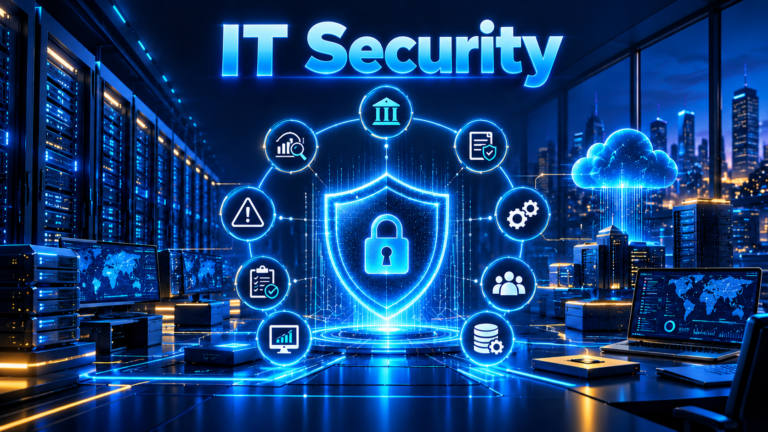
IT Security refers to the policies, processes, technologies, and controls used to protect information technology systems, infrastructure, applications, networks, and data from unauthorized access, misuse, disruption, modification, and destruction. It is an integral part of IT management and helps organizations maintain the confidentiality, integrity, and availability of their information resources and IT services.
IT security is applied across the entire IT environment, including computing platforms, networks, applications, databases, storage systems, cloud services, and user endpoints. It involves establishing security governance, managing technology-related risks, implementing appropriate security controls, monitoring security events, and responding to security incidents.
The effective implementation of IT security requires coordination between security governance functions, IT security teams, application teams, infrastructure teams, network teams, and IT operations. This ensures that security requirements are considered throughout the planning, implementation, operation, and maintenance of IT services.
IT Security Governance
IT security governance establishes the direction, responsibilities, policies, and oversight required to manage security across the IT environment. It ensures that security activities align with organizational objectives, technology requirements, risk management priorities, and applicable regulatory obligations.
IT Security Policies and Standards
IT security policies define the organization’s security requirements, principles, and expectations for protecting information and technology resources. They establish the rules that users, administrators, developers, and IT teams must follow when accessing, managing, developing, and operating IT systems.
Security standards provide more specific requirements and technical or operational guidance for implementing these policies. Together, policies and standards establish a consistent approach to managing security across the organization.
IT Security Roles and Responsibilities
IT security requires clearly defined roles and responsibilities across organizational governance, security management, and IT operations.
The Chief Information Security Officer (CISO) or designated security leadership provides security direction and oversight, while the Governance, Risk, and Compliance (GRC) function supports policy management, risk oversight, and compliance activities.
IT security teams coordinate the implementation and management of security controls. IT operations teams, including infrastructure, network, cloud, and application teams, implement and maintain the required controls within their respective environments.
IT Security Risk Management
IT security risk management involves identifying, assessing, treating, and monitoring risks that could affect the confidentiality, integrity, and availability of information and IT services.
The process considers potential threats, vulnerabilities, business impact, and the effectiveness of existing security controls. Based on the assessment, organizations determine appropriate risk treatment measures, such as implementing additional controls, reducing exposure, transferring risk, or accepting risk within approved limits.
IT Security Controls
IT security controls are safeguards implemented to protect IT systems, infrastructure, applications, networks, and information against security threats and operational risks. They help prevent unauthorized activities, identify security events, reduce the impact of incidents, and support the recovery of affected resources.
Security controls are implemented through administrative, technical, and physical measures. They can also be classified according to their primary function.
Administrative Controls
Administrative controls consist of policies, procedures, guidelines, and management practices used to establish and maintain security requirements. Examples include security policies, access management procedures, employee awareness programs, risk assessments, security reviews, and personnel security practices.
These controls establish the organizational rules and responsibilities that guide how IT resources are accessed, managed, and protected.
Technical Controls
Technical controls use technology and system configurations to protect IT resources. They are implemented through hardware, software, applications, and infrastructure components.
Examples include access control mechanisms, authentication technologies, firewalls, endpoint protection, encryption, network security configurations, and security monitoring solutions.
Physical Controls
Physical controls protect IT facilities, equipment, and infrastructure against unauthorized physical access, damage, theft, and environmental threats.
Examples include access-controlled facilities, security guards, surveillance cameras, biometric access systems, equipment protection, fire detection and suppression systems, and environmental monitoring.
Preventive, Detective, and Corrective Controls
Security controls can also be categorized according to their intended function.
- Preventive controls are designed to prevent security incidents or unauthorized activities before they occur. Examples include access restrictions, authentication mechanisms, network filtering, and security policies.
- Detective controls identify and alert organizations to security events, suspicious activities, or control failures. Examples include security monitoring, log analysis, intrusion detection, and audit reviews.
- Corrective controls address identified security incidents or control weaknesses and help restore systems to an acceptable state. Examples include removing malicious software, correcting misconfigurations, applying security patches, and restoring affected systems.
Organizations use a combination of these controls to establish layered protection across their IT environments.
IT Security Implementation
IT security implementation involves integrating security requirements and controls into IT infrastructure, applications, networks, systems, and services. Security measures must be applied across the different components of the IT environment to protect technology resources and maintain reliable service delivery.
Infrastructure and Network Protection
Infrastructure and network protection focuses on securing the computing platforms, servers, network devices, communication systems, and supporting infrastructure used to deliver IT services.
Security measures include controlling network access, securing infrastructure configurations, protecting communication channels, restricting administrative access, and maintaining appropriate security updates.
Endpoint and Server Protection
Endpoint and server protection focuses on securing devices and computing systems that connect to organizational networks and support IT services.
Endpoints include desktops, laptops, mobile devices, and other user-accessible computing devices. Servers provide application hosting, data processing, authentication, file services, and other technology functions.
Security measures include endpoint protection, system hardening, access restrictions, configuration management, malware protection, and security patching.
Application and Data Protection
Application and data protection focuses on securing software applications, databases, and information resources throughout their lifecycle.
Security measures include secure application configurations, controlled access to application functions, protection of stored and transmitted data, database access restrictions, and appropriate data backup practices.
These measures help protect business applications and information against unauthorized access, modification, disclosure, and loss.
Identity and Access Management
Identity and Access Management (IAM) involves managing digital identities and controlling access to IT systems, applications, infrastructure, and information resources.
It ensures that users and other entities receive appropriate access based on their identities, roles, responsibilities, and authorization requirements. Access management also includes reviewing permissions and removing access when it is no longer required.
Cloud Security
Cloud security focuses on protecting cloud-based infrastructure, platforms, applications, services, and data. It involves applying security controls across cloud environments and managing responsibilities shared between cloud service providers and organizations.
Key measures include identity and access management, secure cloud configurations, data protection, network security, workload protection, and continuous security monitoring.
IT Security Monitoring and Incident Management
IT security monitoring and incident management involve identifying security-related events, assessing potential threats, coordinating incident response, and restoring affected IT services. These activities help organizations detect suspicious activities, understand security incidents, and reduce their impact on business and technology operations.
Security Event Monitoring
Security event monitoring involves collecting and reviewing information generated by IT systems, infrastructure, applications, networks, and security technologies.
Monitoring helps identify unusual activities, potential security threats, unauthorized access attempts, configuration changes, and other events that may indicate a security issue.
Security Incident Detection
Security incident detection involves identifying events that indicate an actual or suspected compromise of IT resources. Detection activities use monitoring alerts, system logs, security tools, user reports, and other sources of information to identify potential incidents.
Identified events are assessed to determine their nature, severity, scope, and potential impact.
Security Incident Response
Security incident response involves coordinating activities to investigate, contain, and address security incidents. The response process may include isolating affected systems, restricting unauthorized access, removing malicious components, correcting security weaknesses, and coordinating with relevant IT and business teams.
The objective is to limit the impact of an incident and prevent further disruption or compromise.
Security Incident Recovery
Security incident recovery focuses on restoring affected systems, applications, infrastructure, and services to an operational state after an incident.
Recovery activities may include system restoration, data recovery, security validation, service verification, and monitoring for recurring issues. Lessons learned from incidents can also be used to improve security controls and response procedures.
IT Security Management and Compliance
IT security management involves maintaining security controls, evaluating their effectiveness, managing security requirements, and ensuring alignment with organizational policies and applicable regulatory obligations.
It is an ongoing activity that requires periodic assessments, control reviews, risk monitoring, compliance evaluations, and management reporting.
IT Security Assessments
IT security assessments evaluate the security posture of IT systems, infrastructure, applications, and services. They help identify security weaknesses, control gaps, misconfigurations, and areas requiring improvement.
Assessment findings provide information for prioritizing remediation activities and strengthening the organization’s security measures.
Security Control Monitoring
Security control monitoring involves reviewing the implementation and effectiveness of security controls over time. It helps determine whether established controls continue to operate as intended and whether changes in the IT environment introduce new risks.
Monitoring activities may include configuration reviews, access reviews, control testing, log reviews, and periodic security evaluations.
IT Security Compliance
IT security compliance involves meeting applicable security requirements established through organizational policies, contractual obligations, industry standards, and regulatory requirements.
Organizations evaluate their security practices and controls against these requirements, identify gaps, maintain supporting evidence, and implement corrective actions where necessary.
Security Reporting and Performance Measurement
Security reporting and performance measurement provide management with information about the organization’s security posture, control effectiveness, risk exposure, and incident handling activities.
Metrics and reports may cover security incidents, access reviews, vulnerability remediation, security control implementation, compliance status, and incident response performance. These measurements help management evaluate security performance and identify areas requiring further attention.
Vulnerability Assessment and Patching
Vulnerability Assessment and Patching are activities used to identify weaknesses in IT systems and apply corrective updates to reduce exposure to known vulnerabilities.
Vulnerability assessment identifies security weaknesses in operating systems, applications, network devices, databases, and other technology components.
Patching involves applying vendor-provided software updates and fixes to address vulnerabilities, defects, and other software issues.
Understanding Vulnerability Assessment
Vulnerability Assessment is the process of identifying, analyzing, and evaluating known weaknesses in IT assets.
It helps organizations understand the security condition of their technology environments and determine which vulnerabilities require remediation.
Assessments may cover:
- Operating Systems
- Servers
- Endpoints
- Network Devices
- Databases
- Applications
- Cloud Resources
- Virtualization Platforms
Types of Vulnerability Assessment
Common types include:
- Network Vulnerability Assessment: Identifies vulnerabilities in network devices, services, and communication infrastructure.
- Host-Based Vulnerability Assessment: Examines operating systems, installed software, and configurations on individual systems.
- Application Vulnerability Assessment: Identifies weaknesses in software applications and their components.
- Database Vulnerability Assessment: Examines database platforms, configurations, and software versions.
- Cloud Vulnerability Assessment: Identifies weaknesses in cloud resources, configurations, and services.
- Configuration Assessment: Evaluates technology configurations against defined security requirements and benchmarks.
Vulnerability Scanning
Vulnerability Scanning uses automated tools to examine IT assets and identify known vulnerabilities, outdated software, and configuration weaknesses.
Scanning may be authenticated or unauthenticated.
Authenticated scanning uses authorized credentials to obtain more detailed information about systems and installed software. Unauthenticated scanning evaluates assets from an external or limited-access perspective.
Scanning results generally require validation and analysis before remediation decisions are made.
Vulnerability Assessment and Remediation Lifecycle
A typical vulnerability assessment and remediation lifecycle includes:
- Asset Identification: Identify systems, applications, devices, and other technology assets.
- Assessment Planning: Define assessment scope, scanning requirements, and schedules.
- Vulnerability Scanning: Perform scans to identify known vulnerabilities.
- Analysis and Validation: Review findings, validate vulnerabilities, and remove false positives.
- Risk Assessment: Evaluate vulnerabilities based on severity, exposure, asset criticality, and business impact.
- Remediation Planning: Define corrective actions, owners, and target completion dates.
- Remediation: Apply patches, configuration changes, software upgrades, or other corrective measures.
- Retesting: Validate that identified vulnerabilities have been addressed.
- Reporting and Closure: Document remediation results and close findings based on defined criteria.
Patch Management
Patch Management is the process of identifying, evaluating, testing, deploying, and verifying software updates.
Patches may address:
- Security Vulnerabilities
- Software Defects
- Stability Issues
- Compatibility Problems
- Performance Improvements
A typical patch management process includes patch identification, impact assessment, testing, approval, deployment, verification, and reporting.
Roles and Responsibilities
Vulnerability assessment and patching involve multiple teams.
- Vulnerability Assessment Team: Performs vulnerability scanning, validates findings, and prepares assessment reports.
- IT Security Team: Coordinates vulnerability remediation, evaluates technical findings, and works with IT teams to address security weaknesses.
- GRC Team: Oversees risk assessment, remediation tracking, policy requirements, and risk acceptance where applicable.
- IT Operations Teams: Apply patches and corrective changes to the systems and infrastructure they manage.
- Application Teams: Remediate vulnerabilities affecting application code, components, and application platforms.
- Management: Provides oversight, resources, and decisions for significant risks and remediation priorities.
Vulnerability Assessment and Patching Workflow
A typical organizational workflow follows this sequence:
- Vulnerability assessment is performed against defined IT assets.
- Findings are validated and shared with the relevant IT Security and GRC teams.
- IT Security coordinates technical review and remediation with the responsible IT teams.
- GRC evaluates risk, tracks remediation progress, and monitors agreed treatment plans.
- IT teams apply patches or implement corrective actions.
- The assessment team performs retesting to verify remediation.
- IT Security and GRC review the results and confirm closure according to the defined process.
IT KPIs
Key Performance Indicators (KPIs) are measurable values used to evaluate the performance and effectiveness of IT services, operations, and technology resources.
IT KPIs help organizations assess service quality, operational efficiency, resource utilization, availability, and performance against established objectives.
IT Service Availability and Reliability
These KPIs measure whether IT services remain accessible and operate as expected.
Common measurements include:
- Service Availability: Percentage of time an IT service is available for use.
- System Uptime: Duration for which a system operates without interruption.
- System Downtime: Duration for which a system or service is unavailable.
- Mean Time Between Failures (MTBF): Average operating time between system failures.
IT Service Performance
These KPIs evaluate the performance and responsiveness of IT services.
Examples include:
- Application Response Time
- Transaction Processing Time
- Network Latency
- System Throughput
- Resource Utilization
- User Experience Measurements
Infrastructure and Network Performance
These KPIs measure the performance and utilization of infrastructure and network resources.
Examples include:
- CPU Utilization
- Memory Utilization
- Storage Utilization
- Network Bandwidth Utilization
- Packet Loss
- Network Latency
- Infrastructure Availability
Incident and Problem Management Metrics
These metrics evaluate the effectiveness of incident and problem management activities.
Examples include:
- Number of Incidents
- Incident Resolution Time
- Mean Time to Respond (MTTR)
- Mean Time Between Incidents
- Percentage of Incidents Resolved Within SLA
- Number of Recurring Incidents
- Problem Resolution Rate
Change and Release Management Metrics
These metrics evaluate the effectiveness of IT changes and software releases.
Examples include:
- Number of Changes Implemented
- Change Success Rate
- Change Failure Rate
- Emergency Change Percentage
- Release Deployment Success Rate
- Change-Related Incidents
Service Level Agreement (SLA) Metrics
SLA metrics measure IT service performance against agreed service commitments.
Examples include:
- SLA Compliance Percentage
- Service Availability Against SLA
- Incident Response Against SLA
- Incident Resolution Against SLA
- Service Request Fulfillment Time
Vulnerability and Patching Metrics
These metrics evaluate vulnerability remediation and patch management activities.
Examples include:
- Number of Identified Vulnerabilities
- Critical Vulnerability Remediation Rate
- Patch Compliance Percentage
- Average Vulnerability Remediation Time
- Patch Deployment Success Rate
- Number of Overdue Vulnerabilities
Business Continuity Planning (BCP)
Business Continuity Planning (BCP) is the process of developing strategies, plans, and procedures to maintain or resume critical business activities following disruptive events.
Disruptions may result from natural disasters, power failures, infrastructure damage, equipment failures, cyber incidents, supply chain interruptions, or other events affecting organizational operations.
BCP focuses on maintaining essential business functions and minimizing the impact of disruptions on people, operations, customers, and stakeholders.
Understanding Business Continuity Planning
Business Continuity Planning establishes how an organization will continue its critical activities during and after a disruption.
It considers business processes, people, facilities, technology, suppliers, resources, and operational dependencies.
BCP is broader than IT continuity because business operations may depend on non-IT resources such as physical facilities, personnel, transportation, utilities, and external service providers.
Business Impact Analysis (BIA)
Business Impact Analysis (BIA) identifies critical business functions and evaluates the consequences of their disruption.
It helps organizations determine:
- Critical Business Processes
- Operational Dependencies
- Financial Impact
- Regulatory and Legal Impact
- Customer and Stakeholder Impact
- Recovery Requirements
Two important BIA measurements are:
- Recovery Time Objective (RTO): The target duration within which a business process or service should be restored following a disruption.
- Recovery Point Objective (RPO): The maximum acceptable period of data loss measured in time.
BIA findings help establish recovery priorities and continuity requirements.
Business Continuity Strategies
Business Continuity Strategies define the approaches used to maintain or restore critical business operations.
Common strategies include:
- Alternate Work Locations
- Remote Working Arrangements
- Alternate Suppliers
- Redundant Facilities
- Resource and Personnel Substitution
- Manual Workaround Procedures
- Alternate Communication Arrangements
- Technology and Service Redundancy
The selected strategies depend on business requirements, operational dependencies, risk exposure, and recovery objectives.
Business Continuity Plan Development
A Business Continuity Plan documents the procedures and responsibilities required to maintain or restore business operations during disruptions.
It generally includes:
- Scope and Objectives
- Critical Business Functions
- Roles and Responsibilities
- Business Impact Analysis Results
- Continuity Strategies
- Communication Procedures
- Escalation Procedures
- Alternate Operating Arrangements
- Recovery Priorities
- External Dependencies
The plan should be reviewed and maintained to reflect changes in business processes, personnel, facilities, and technology.
Business Continuity Testing and Exercises
Testing and exercises evaluate whether business continuity arrangements are practical and effective.
Common approaches include:
- Document Review: Examines the completeness and accuracy of continuity plans.
- Tabletop Exercise: Uses discussion-based scenarios to evaluate decision-making and response procedures.
- Simulation Exercise: Recreates selected disruption conditions to evaluate operational responses.
- Functional Exercise: Tests specific continuity capabilities and assigned responsibilities.
- Full-Scale Exercise: Tests a broader set of continuity arrangements under simulated disruption conditions.
Lessons learned from exercises should be documented and incorporated into plan improvements.
Roles and Responsibilities
Business continuity requires participation across organizational functions.
- Senior Management: Provides direction, approves continuity strategies, and supports resource allocation.
- Business Continuity Team: Coordinates BCP development, maintenance, and exercises.
- Business Function Owners: Identify critical activities, dependencies, and recovery requirements.
- IT Teams: Support the continuity of technology services and systems.
- Facilities and Administration Teams: Support workplace facilities, utilities, and physical arrangements.
- Human Resources: Supports personnel communication, availability, and workforce arrangements.
- Supplier Management Teams: Coordinate continuity requirements with external service providers.
Disaster Recovery (DR)
Disaster Recovery (DR) refers to the processes, strategies, and technical arrangements used to restore IT systems, applications, infrastructure, and data following a disruptive event.
Disaster recovery focuses primarily on restoring technology capabilities required to support organizational operations.
Disruptions may include natural disasters, fire, flooding, power failures, hardware failures, data corruption, cyber incidents, and major infrastructure outages.
Understanding Disaster Recovery
Disaster Recovery establishes how technology resources will be restored following an event that affects normal IT operations.
It focuses on recovering critical IT services, infrastructure, applications, and data within defined recovery objectives.
Disaster recovery is closely related to Business Continuity Planning. BCP addresses the continuity of business functions, while DR focuses on restoring the technology services and systems that support those functions.
Disaster Recovery Strategies
Disaster Recovery Strategies define the technical approaches used to restore IT services following a disruption.
Common strategies include:
- Backup and Restore
- Data Replication
- High Availability
- Active-Passive Recovery
- Active-Active Recovery
- Alternate Data Center
- Cloud-Based Disaster Recovery
- Disaster Recovery as a Service (DRaaS)
The selection of a strategy depends on business criticality, RTO, RPO, technology dependencies, cost, and recovery requirements.
Disaster Recovery Planning
A Disaster Recovery Plan documents the procedures required to restore IT systems and services following a major disruption.
It generally includes:
- Recovery Scope and Objectives
- Critical Systems and Applications
- Infrastructure Dependencies
- Recovery Priorities
- Backup and Replication Arrangements
- Recovery Procedures
- Roles and Responsibilities
- Communication and Escalation Procedures
- Recovery Validation
- Return-to-Normal Operations
The plan should be aligned with business continuity requirements.
Backup and Recovery
Backup and Recovery involves creating copies of data and restoring them when original data becomes unavailable, corrupted, or lost.
Common backup types include:
- Full Backup: Copies all selected data.
- Incremental Backup: Copies data changed since the previous backup.
- Differential Backup: Copies data changed since the last full backup.
Recovery procedures may involve restoring files, databases, applications, operating systems, virtual machines, and complete IT environments.
Backup arrangements should be tested to verify data integrity and restoration capability.
Disaster Recovery Testing
Disaster Recovery Testing evaluates whether recovery procedures can restore systems and services within defined recovery objectives.
Common testing methods include:
- Backup Restoration Testing
- Recovery Procedure Testing
- Application Recovery Testing
- Infrastructure Recovery Testing
- Data Center Recovery Testing
- Failover Testing
- Full Disaster Recovery Exercise
Testing helps identify gaps in recovery procedures, technology dependencies, resource availability, and recovery performance.
Roles and Responsibilities
Disaster recovery involves several technology and business teams.
- Disaster Recovery Management Team: Coordinates DR planning, exercises, and recovery activities.
- IT Infrastructure Team: Restores servers, operating systems, virtualization platforms, and supporting infrastructure.
- Network Team: Restores network connectivity and communication services.
- Storage and Backup Team: Restores data and manages backup and replication systems.
- Database Team: Recovers databases and validates data consistency.
- Application Team: Restores application services and verifies application functionality.
- Cloud Team: Restores cloud-based resources and services where applicable.
- Business Function Owners: Validate that recovered IT services support business operations.
- Senior Management: Provides direction and decisions during major recovery events.
Information Technology Frameworks
IT frameworks provide structured guidance, principles, processes, and practices for managing, governing, designing, and operating Information Technology.
They help organizations establish consistent approaches to IT governance, service management, enterprise architecture, and technology operations.
COBIT
Control Objectives for Information and Related Technologies (COBIT) is a framework for the governance and management of enterprise information and technology.
It provides guidance for aligning IT activities with business objectives, managing technology-related risks, optimizing resources, and evaluating IT performance.
COBIT addresses areas such as governance objectives, management processes, performance management, and organizational responsibilities.
ITIL
Information Technology Infrastructure Library (ITIL) is a framework of guidance and practices for IT Service Management.
It provides structured approaches to service delivery, service operation, incident management, problem management, change enablement, service level management, and continual improvement.
ITIL helps organizations manage IT services throughout their lifecycle and focus on delivering value to users and customers.
ISO/IEC 20000
ISO/IEC 20000 is an international standard for IT Service Management Systems.
It specifies requirements for establishing, implementing, maintaining, and continually improving a service management system.
The standard helps organizations demonstrate that their service management practices meet defined requirements.
TOGAF
The Open Group Architecture Framework (TOGAF) is an enterprise architecture framework developed by The Open Group.
It provides methods and guidance for designing, planning, implementing, and governing enterprise architecture.
TOGAF includes the Architecture Development Method (ADM), which provides a structured approach to developing and managing enterprise architecture.
Other Relevant IT Frameworks
Other frameworks and standards support specific areas of Information Technology.
Examples include:
- ISO/IEC 38500: Provides principles for the governance of IT within organizations.
- ISO/IEC 27001: Specifies requirements for an Information Security Management System.
- IT4IT: Provides a reference architecture for managing the business of IT.
- FitSM: Provides lightweight standards and guidance for IT Service Management.
- The Open Group Architecture Framework Resources: Provides additional architecture standards and guidance through The Open Group.
Information Technology Trends and Developments
Information Technology continues to evolve through advances in computing, software, networking, data management, and automation.
These developments influence how organizations design, operate, and deliver technology services.
Artificial Intelligence and Machine Learning
Artificial Intelligence (AI) and Machine Learning (ML) enable systems to perform tasks that traditionally require human intelligence, such as pattern recognition, prediction, classification, and language processing.
They are used in business analytics, automation, customer services, research, and decision-support systems.
Cloud-Native Computing
Cloud-native computing uses technologies and architectural approaches designed to operate applications in cloud environments.
It commonly involves containers, microservices, orchestration platforms, automation, and distributed application architectures.
Edge Computing
Edge Computing processes data closer to the location where it is generated rather than relying entirely on centralized data centers or cloud platforms.
It is used in industrial systems, connected devices, telecommunications, smart infrastructure, and applications requiring low-latency processing.
Internet of Things (IoT)
The Internet of Things refers to interconnected physical devices that collect, exchange, and process information through communication networks.
Examples include industrial sensors, connected vehicles, smart appliances, medical devices, and environmental monitoring systems.
Big Data and Data Analytics
Big Data technologies support the processing and analysis of large, complex, and diverse datasets.
Data analytics uses statistical methods, computational techniques, and analytical platforms to identify patterns, trends, and insights.
Automation and Orchestration
Automation uses technology to perform tasks with limited manual intervention.
Orchestration coordinates multiple automated activities, systems, and workflows to achieve a larger operational outcome.
These capabilities are used in infrastructure management, application deployment, cloud operations, and IT service delivery.
Containerization and Microservices
Containerization packages applications and their dependencies into portable execution environments.
Microservices architecture organizes applications into smaller, independently deployable services that communicate through defined interfaces.
These approaches support distributed application development and deployment.
Quantum Computing
Quantum Computing uses principles of quantum mechanics to perform computational operations using quantum systems.
It represents a different computing model from conventional classical computing and is being explored for specialized computational problems.
Software-Defined Infrastructure
Software-Defined Infrastructure uses software-based control and management to configure and operate infrastructure resources.
It includes software-defined networking, software-defined storage, and software-defined data center approaches.
These technologies provide greater programmability and centralized management of infrastructure resources.
References
Online Sources
National Institute of Standards and Technology (NIST) – Information Technology Laboratory
Provides research, technical publications, and resources relating to computing, information systems, and information technology
ISACA – COBIT
Describes the COBIT framework for the governance and management of enterprise information and technology
International Organization for Standardization (ISO) – ISO/IEC 20000-1:2018 — IT Service Management
Specifies requirements for establishing, implementing, maintaining, and continually improving a service management system
Books
Information Technology for Management: On-Demand Strategies for Performance, Growth and Sustainability
Efraim Turban, Carol Pollard, and Gregory Wood
Wiley, 2018
Information Systems: A Manager’s Guide to Harnessing Technology
John Gallaugher
FlatWorld, 2019