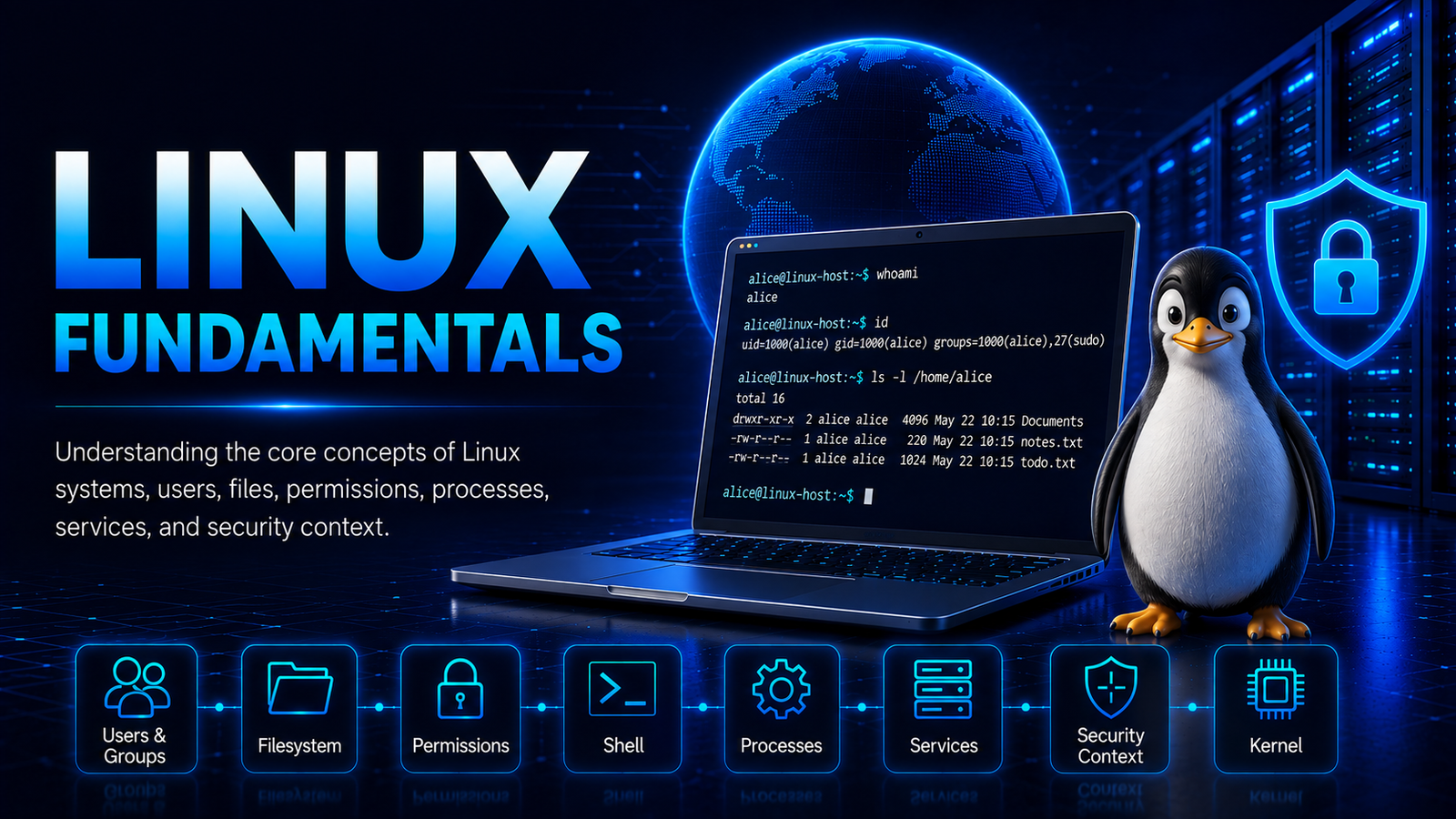
Linux Fundamentals
Introduction
Linux is an open-source operating system built around the Linux kernel. It provides the core facilities required to manage computing resources, execute applications, store and access data, communicate over networks, and interact with hardware.
Linux is widely used in servers, cloud infrastructure, networking systems, embedded devices, supercomputers, desktops, and many other computing environments. Its flexible architecture and extensive ecosystem make it an important operating system for both general computing and cybersecurity.
Understanding Linux fundamentals provides the foundation for studying Linux administration, networking, security, access control, system hardening, processes, services, and privilege management.
Linux Architecture
A Linux system can broadly be understood through two major areas: the kernel and user space.
The kernel provides the core mechanisms required to manage hardware and system resources. Applications, utilities, shells, and services operate primarily in user space and use interfaces provided by the operating system to request access to those resources.
This separation establishes an important boundary within the operating system and is fundamental to understanding how Linux works.
Linux Kernel
The Linux kernel is the core component of the operating system. It manages system resources and provides mechanisms through which software can interact with hardware and other kernel-managed resources.
Major responsibilities of the kernel include:
- Process management.
- Memory management.
- Device management.
- Filesystem management.
- Network management.
- Inter-process communication.
- Hardware interaction.
- System-call interfaces.
- Security and access-control mechanisms.
Applications normally do not interact directly with hardware. Instead, they request services from the kernel through defined interfaces, including system calls.
Because the kernel controls critical system resources, its integrity and security are fundamental to the security of the operating system. A vulnerability affecting the kernel can therefore have consequences that differ significantly from a vulnerability confined to an individual user-space application.
User Space
User space is the area in which most applications, utilities, shells, and services execute.
User-space programs normally operate under restrictions imposed by the operating system. They request access to protected resources through kernel interfaces rather than directly controlling those resources.
Examples of software that commonly operates in user space include:
- Shells such as Bash.
- Web servers.
- Database applications.
- System utilities.
- User applications.
- Background services.
- Administrative tools.
User-space processes can operate under different security contexts. A process belonging to an ordinary user has different access from a process running with root privileges.
The distinction between user space and the kernel is therefore an important security boundary.
Linux Users and Groups
Linux uses users and groups as fundamental components of its identity and access-control model.
A user represents an account or identity on the system. A group is a collection of users that can be associated with common permissions to files, directories, and other resources.
Each user has a numerical User ID (UID), while each group has a numerical Group ID (GID). A user normally has a primary group and may also belong to supplementary groups.
The whoami command is used to display the username associated with the current session.
alice@linux-host:~$ whoami
alice
The groups command is used to display the groups to which the current user belongs.
alice@linux-host:~$ groups
alice sudo
In these examples, alice is the standard user used throughout the Linux examples in Kingsanit articles.
Group membership can provide access beyond the permissions associated with a user’s primary group. Consequently, examining both user identity and group membership is important when understanding Linux access control.
Linux Shells
A shell provides an interface through which users can interact with the operating system.
Bash is one of the most widely used Linux shells. Other shells include Zsh, KornShell, and Dash.
A shell is itself a user-space process. Like other processes, it operates within a particular security context.
For example, a shell started by an ordinary user normally operates with that user’s permissions. A shell started within a privileged administrative context can have substantially greater access.
The existence of a shell therefore does not determine the level of privilege. The identity, credentials, permissions, and capabilities associated with the shell process determine what it can access and perform.
User IDs and Group IDs
Linux represents users and groups internally using numerical identifiers.
A UID identifies a user, while a GID identifies a group. These identifiers are important because operating-system access decisions rely on process credentials and associated permissions rather than simply on the displayed username.
The traditional root account uses UID 0.
UID 0
The id command is used to display detailed identity information about the current user, including the UID, primary GID, and supplementary group memberships.
alice@linux-host:~$ id
uid=1000(alice) gid=1000(alice) groups=1000(alice),27(sudo)
In this example, alice has UID 1000, a primary GID of 1000, and membership in the supplementary sudo group.
Processes also have associated user and group credentials. These credentials participate in determining what resources a process can access.
Understanding UIDs and GIDs is therefore essential when examining Linux identity and access control.
The Root User
root is the traditional Linux superuser.
The root account has extensive authority over the operating system and can normally access or modify resources that ordinary users cannot.
Root-level authority can include the ability to:
- Modify protected system files.
- Manage users and groups.
- Control system services.
- Change system configuration.
- Access protected data.
- Manage processes.
- Configure networking.
- Access protected system resources.
Because of this extensive authority, protecting root-level access is a fundamental Linux security requirement.
Linux privilege is not limited, however, to a simple distinction between ordinary users and root. Other mechanisms can provide specific forms of elevated access.
These include:
sudo- File permissions.
- SUID and SGID.
- Linux capabilities.
- Service accounts.
- Linux Security Modules.
- Other system-level access-control mechanisms.
This layered approach allows Linux to provide different levels and forms of access rather than relying exclusively on the root account.
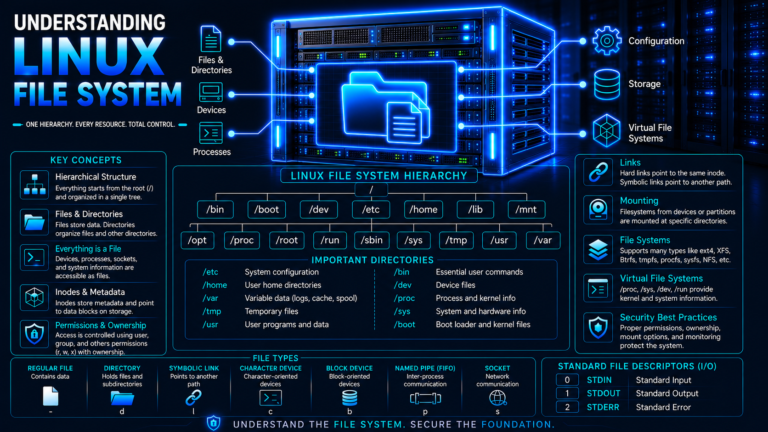
Linux Filesystem
Linux uses a hierarchical filesystem in which files and directories are organized beneath a single root directory:
/
The root directory is the highest level of the Linux filesystem hierarchy. Other directories are located beneath it.
A simplified representation is:
/
├── etc
├── home
├── opt
├── tmp
├── usr
└── var
The exact contents and organization can vary between Linux distributions, but these directories commonly serve different purposes.
/etc
/etc commonly contains system and application configuration files.
Configuration stored in this directory can influence how services and applications operate. Consequently, ownership and permissions of configuration files are important from a security perspective.
/home
/home commonly contains the personal directories of ordinary users.
For example, the home directory of alice would commonly be:
/home/alice
User documents, configuration files, application data, and other personal resources are typically stored beneath individual home directories.
/opt
/opt is commonly used for optional or separately installed application software.
Applications installed in this location may contain their own binaries, libraries, configuration files, and supporting resources.
/tmp
/tmp provides a location for temporary files.
Temporary resources can be created and accessed by different processes, subject to the filesystem’s permissions and security mechanisms. The handling of temporary files is therefore relevant to both system administration and security.
/usr
/usr contains a large portion of user-space programs, libraries, documentation, and other system resources on many Linux systems.
It commonly contains directories such as:
/usr/bin
/usr/sbin
/usr/lib
/usr/share
/var
/var contains variable data generated or modified during normal system operation.
Examples include:
- Logs.
- Caches.
- Queues.
- Spool data.
- Application data.
- Other changing system information.
The security significance of a filesystem location depends on what it contains, who owns it, and which users or processes can access or modify its contents.
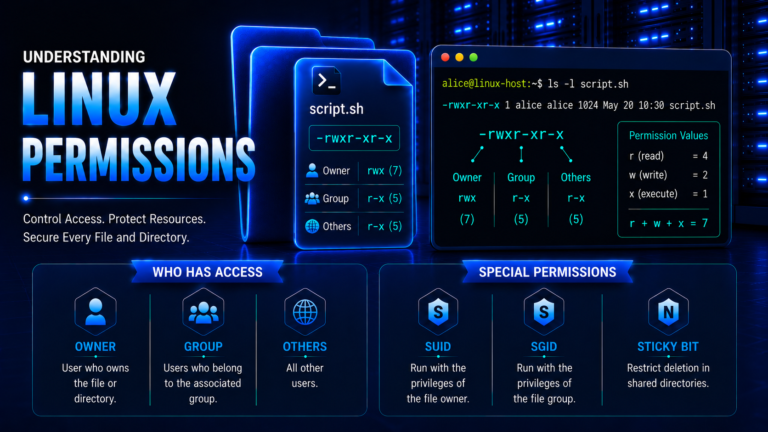
Linux File Permissions
Linux provides filesystem permissions to control access to files and directories.
The traditional permission model distinguishes three principal classes:
- User — the owner of the file.
- Group — users belonging to the associated group.
- Other — users who are neither the owner nor members of the associated group.
The traditional permission types are:
- Read (
r) - Write (
w) - Execute (
x)
The ls command is commonly used with the -l option to display detailed information about files, including their permissions, ownership, and group.
alice@linux-host:~$ ls -l example.txt
-rw-r----- 1 alice alice 128 Aug 22 10:15 example.txt
In this example, the file is owned by alice and associated with the alice group.
The permission string:
-rw-r-----
can be interpreted as:
User:   rw-
Group:  r--
Other:  ---
For a regular file, read permission generally permits reading its contents, write permission permits modification, and execute permission permits execution when other requirements are satisfied.
Directory permissions have different operational meanings. Read permission affects the ability to list directory contents, write permission affects the ability to create or remove entries, and execute permission affects the ability to access entries within the directory.
The chmod command is used to modify traditional permission bits.
alice@linux-host:~$ chmod 640 example.txt
alice@linux-host:~$ ls -l example.txt
-rw-r----- 1 alice alice 128 Aug 22 10:15 example.txt
Linux also supports additional access-control mechanisms, including Access Control Lists (ACLs), capabilities, and Linux Security Modules.
Understanding permissions is fundamental to Linux administration because filesystem access directly affects the confidentiality, integrity, and availability of system resources.
Processes
A process is a running instance of a program.
When a program executes, the operating system creates a process with its own execution context and associated credentials.
Processes have identifiers called Process IDs (PIDs). They can also have parent-child relationships represented through Parent Process IDs (PPIDs).
The ps command is used to display information about running processes.
alice@linux-host:~$ ps -eo user,pid,ppid,cmd
USER         PID    PPID CMD
root           1       0 /sbin/init
root         742       1 /usr/sbin/sshd -D
root        1015       1 /usr/sbin/cron -f
alice        2184    2147 -bash
alice        2317    2184 ps -eo user,pid,ppid,cmd
This output can help identify:
- The user associated with a process.
- The process identifier.
- The parent process.
- The program being executed.
- Processes operating with elevated privileges.
A process therefore has both an execution role and a security context.
Understanding processes is particularly important when examining Linux services and security because the privileges associated with a process influence the resources available to it.
Services and Daemons
Linux systems commonly run background programs that provide specific functions. These programs are often referred to as services or daemons.
Examples include:
- Web servers.
- Database servers.
- SSH services.
- Logging services.
- Scheduling services.
- Network services.
- Application services.
A service may operate under a dedicated service account, an ordinary user account, or a privileged account such as root.
Modern Linux systems commonly use service-management frameworks such as systemd to start, stop, monitor, and manage services.
The systemctl command is used to query and manage services managed by systemd.
alice@linux-host:~$ systemctl status ssh
● ssh.service - OpenBSD Secure Shell server
     Loaded: loaded
     Active: active (running)
The exact service name and output can vary between Linux distributions.
A service’s security context is important because its process credentials influence what it can access.
Running a service with only the privileges it requires follows the principle of least privilege. If a service is compromised, limiting its privileges can reduce the resources and functions available to the compromised process.
Service configuration, executable files, libraries, environment settings, and related resources can therefore all be relevant to Linux security.
Linux Security Context
The security context of a Linux process is determined by several attributes rather than a single property.
Important elements include:
- User identity.
- Group memberships.
- Process credentials.
- Filesystem permissions.
- Capabilities.
- Security policies.
- Namespace isolation.
- Access to devices and system resources.
The traditional user, group, and filesystem permission model provides a basic discretionary access-control mechanism. Linux also provides additional mechanisms that can restrict or refine process access.
Capabilities
Linux capabilities divide certain traditionally broad superuser privileges into more specific privileges.
This allows particular privileged operations to be assigned to a process without necessarily granting the complete set of privileges associated with unrestricted root access.
Capabilities are therefore an important part of understanding Linux privilege and security.
Linux Security Modules
Linux Security Modules (LSM) provide a framework through which additional security policies can be implemented.
Security mechanisms such as SELinux and AppArmor use this framework to apply additional restrictions to processes and resources.
These controls can operate alongside traditional Linux users, groups, and filesystem permissions.
Linux and Cybersecurity
Linux fundamentals are closely connected to cybersecurity because many security controls and attack surfaces depend on how the operating system manages identities, processes, files, services, and system resources.
For example:
- User and group identities determine the security context of processes.
- Filesystem permissions control access to files and directories.
- Process ownership influences which resources a process can access.
- Services expose functionality locally or over networks.
- Privileged processes have greater access to system resources.
- Capabilities can provide specific privileged operations.
- Security policies can impose additional restrictions.
- Kernel mechanisms enforce important operating-system boundaries.
These concepts provide the foundation for studying Linux security topics such as system hardening, vulnerability management, access control, security monitoring, malware, persistence, and privilege escalation.
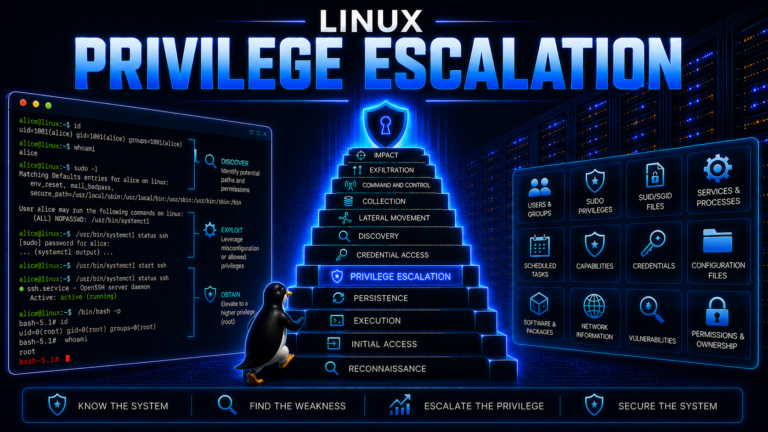
Linux privilege escalation, for example, cannot be properly understood without first understanding users, groups, permissions, processes, services, capabilities, and the distinction between ordinary and privileged execution.
Conclusion
Linux is an operating system built around the Linux kernel, with applications, utilities, shells, and services operating primarily in user space.
Its operation and security depend on several interconnected concepts, including users, groups, UIDs, GIDs, root, filesystem hierarchy, permissions, processes, services, capabilities, and kernel-level resource management.
Understanding these fundamentals provides the conceptual foundation for studying Linux administration and cybersecurity. It also establishes the terminology required to understand how system configuration, access controls, privileges, processes, and services influence the security of a Linux environment.
References
Linux Kernel – The Linux Kernel Documentation
Provides official documentation covering Linux kernel subsystems, interfaces, administration, and development.
Linux Kernel – The Linux Kernel User’s and Administrator’s Guide
Provides administrator-oriented documentation covering kernel configuration, system operation, security, devices, filesystems, and other areas.
Linux man-pages – credentials(7)
Describes Linux process credentials, including user IDs, group IDs, supplementary groups, and their role in access control.
Linux man-pages – chmod(1)
Documents the Linux filesystem permission model and the chmod utility.
Linux man-pages – file-hierarchy(7)
Describes the Linux filesystem hierarchy and commonly used system directories.
Linux Kernel – Linux Security Modules
Documents the Linux Security Modules framework used to implement additional security policies within the Linux kernel.