
Introduction
Computer memory is one of the fundamental building blocks of modern computing. Whether we use a desktop computer, laptop, smartphone, cloud platform, or Artificial Intelligence application, memory plays a vital role in storing and processing information.
Many of us would have learned memory concepts during our academic studies or early stages of our careers. However, as technology continues to evolve, it is useful to refresh these concepts and understand why memory remains important today.
Memory is not only responsible for system performance but also plays a significant role in cyber security. Many modern cyber attacks attempt to exploit weaknesses in memory management and gain access to sensitive information stored in memory.
Evolution of Computer Memory
As computing technology evolved, the demand for faster processing and larger applications increased. Memory evolved alongside processors, becoming faster, more reliable, and capable of storing significantly larger amounts of data.
The introduction of semiconductor memory transformed computing by enabling modern operating systems, enterprise applications, virtualization, cloud computing, and Artificial Intelligence workloads.
Today, memory is one of the most important resources in any computing system.
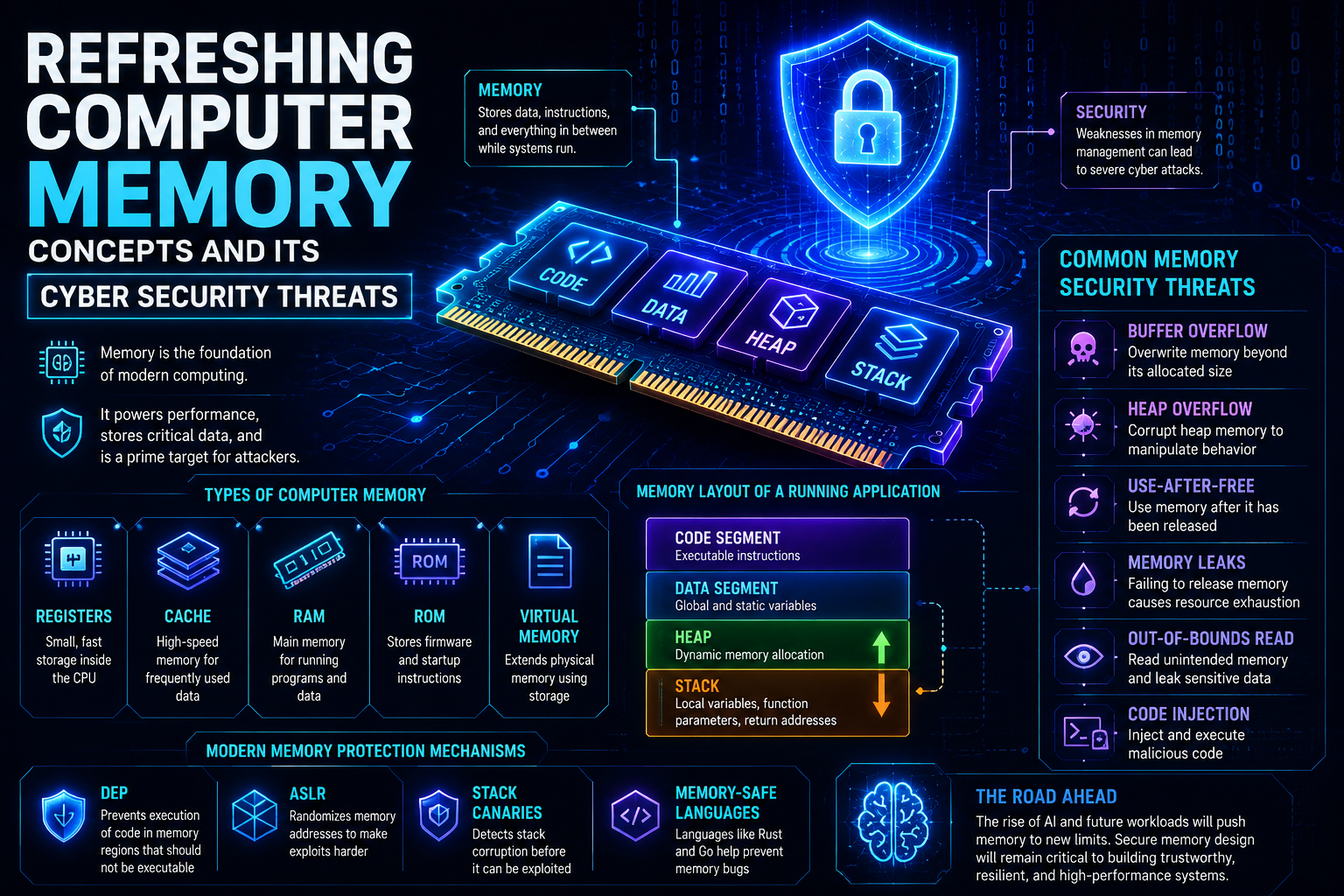
Types of Computer Memory
Different types of memory are used within a computer system, each serving a specific purpose.
Registers
Registers are small storage locations located inside the CPU. They temporarily hold data and instructions required for immediate processing.
Cache Memory
Cache memory stores frequently used data and instructions so that the processor can access them quickly. Modern processors typically use multiple levels of cache such as L1, L2, and L3.
Random Access Memory (RAM)
RAM is the primary working memory of a computer. It stores running applications, operating system components, and active user data.
RAM is volatile memory, meaning its contents are lost when power is removed.
Read Only Memory (ROM)
ROM stores firmware and startup instructions required to initialize a computer system.
Unlike RAM, ROM retains its contents even when the system is powered off.
Memory Addressing
One of the most important concepts in computer memory is memory addressing.
Every memory location is assigned a unique address. The processor uses these addresses to locate and access data stored in memory.
Without memory addressing, a computer would not be able to identify where instructions and data are stored.
Address Space
The number of memory locations that can be addressed depends on the processor architecture.
A 32-bit processor can address approximately 4 GB of memory, while a 64-bit processor can address a significantly larger memory space, enabling modern systems to support larger workloads and applications.
Virtual Memory
Modern operating systems use virtual memory to provide applications with their own logical memory space.
Virtual memory helps improve:
- Memory utilization
- System stability
- Multitasking
- Security
Most users benefit from virtual memory every day without even realizing it.
Memory Layout of an Application
When an application runs, its memory is generally divided into multiple regions.
Code Segment
Stores executable program instructions.
Data Segment
Stores global and static variables.
Heap
Used for dynamic memory allocation during program execution.
Stack
Stores local variables, function parameters, and return addresses.
The stack and heap are frequently discussed when analyzing software vulnerabilities and security issues.
Why Memory Is Important
Memory is much more than a performance component.
While a system is running, memory may temporarily contain:
- User credentials
- Authentication tokens
- Encryption keys
- Application data
- System configurations
Because memory contains valuable information, it has become an attractive target for attackers.
Common Memory-Related Cyber Security Threats
Buffer Overflow
A buffer overflow occurs when more data is written into a memory location than it can hold. This may lead to application crashes, data corruption, or unauthorized code execution.
Heap Overflow
Heap overflow attacks target dynamically allocated memory and may allow attackers to manipulate application behaviour.
Use-After-Free
This vulnerability occurs when an application continues using memory after it has already been released.
Memory Leaks
Memory leaks occur when allocated memory is not released properly, leading to resource exhaustion and performance degradation.
Out-of-Bounds Read
This vulnerability allows applications to read unintended memory locations, potentially exposing sensitive information.
Code Injection
Attackers may attempt to inject malicious code into memory and force an application to execute it.
Modern Memory Protection Mechanisms
To reduce memory-related risks, modern operating systems and applications implement several security controls, including:
Data Execution Prevention (DEP)
Prevents data stored in memory from being executed as program code.
Address Space Layout Randomization (ASLR)
Randomizes memory locations to make attacks harder to predict.
Stack Canaries
Detects stack-based buffer overflow attempts before they can be exploited.
Memory-Safe Programming Languages
Helps prevent common memory-related vulnerabilities through safer memory management.
These controls help reduce the likelihood and impact of memory-based attacks.
Conclusion
Computer memory has been a fundamental part of computing since the early days of computer systems and continues to play a critical role in modern technology.
Understanding concepts such as RAM, memory addressing, virtual memory, stack, and heap helps us better understand how operating systems and applications function.
At the same time, memory has become an important area of focus in cyber security because it stores sensitive information and is frequently targeted by attackers. Although memory is one of the oldest concepts in computing, its importance continues to grow as modern systems become increasingly complex and interconnected.